Update the Storefront location and hours
Publish the address, time zone, opening hours, and accessibility information customers need before visiting.
Updated August 10, 2026
BusinessStorefront
Only publish a physical location when customers can visit it. Choosing no under Physical Location clears the address, accessibility information, and opening hours when you save.
Add the location
Publish the address and time zone
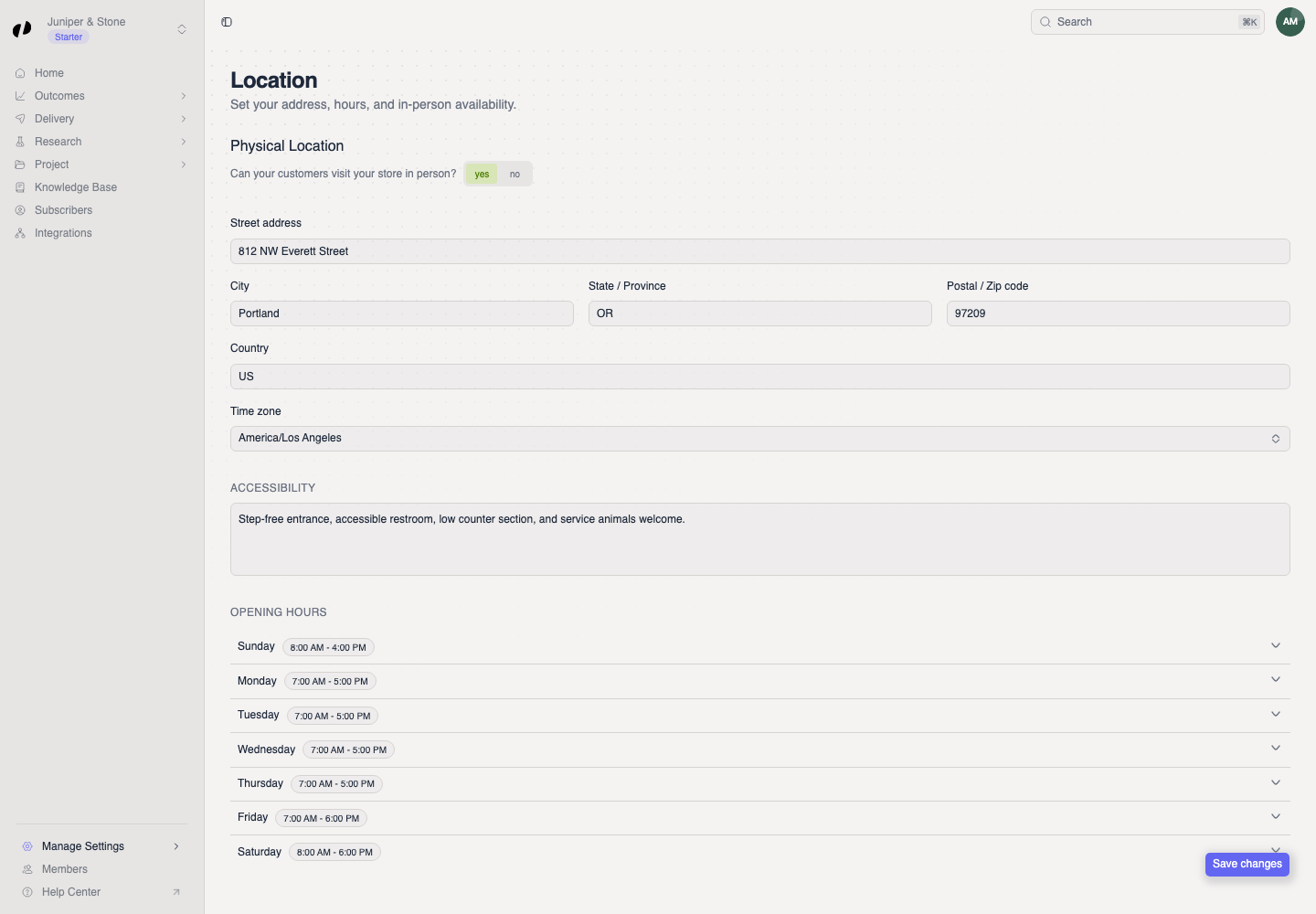
- Open Manage Settings > Location.
- Under Physical Location, choose yes.
- Enter the street address, city, state or province, postal code, and country.
- Select the location's Time zone. Orvelt uses it to display the hours correctly.
- Add concise Accessibility information, such as step-free entry or an accessible restroom.
Set opening hours
Build the weekly schedule
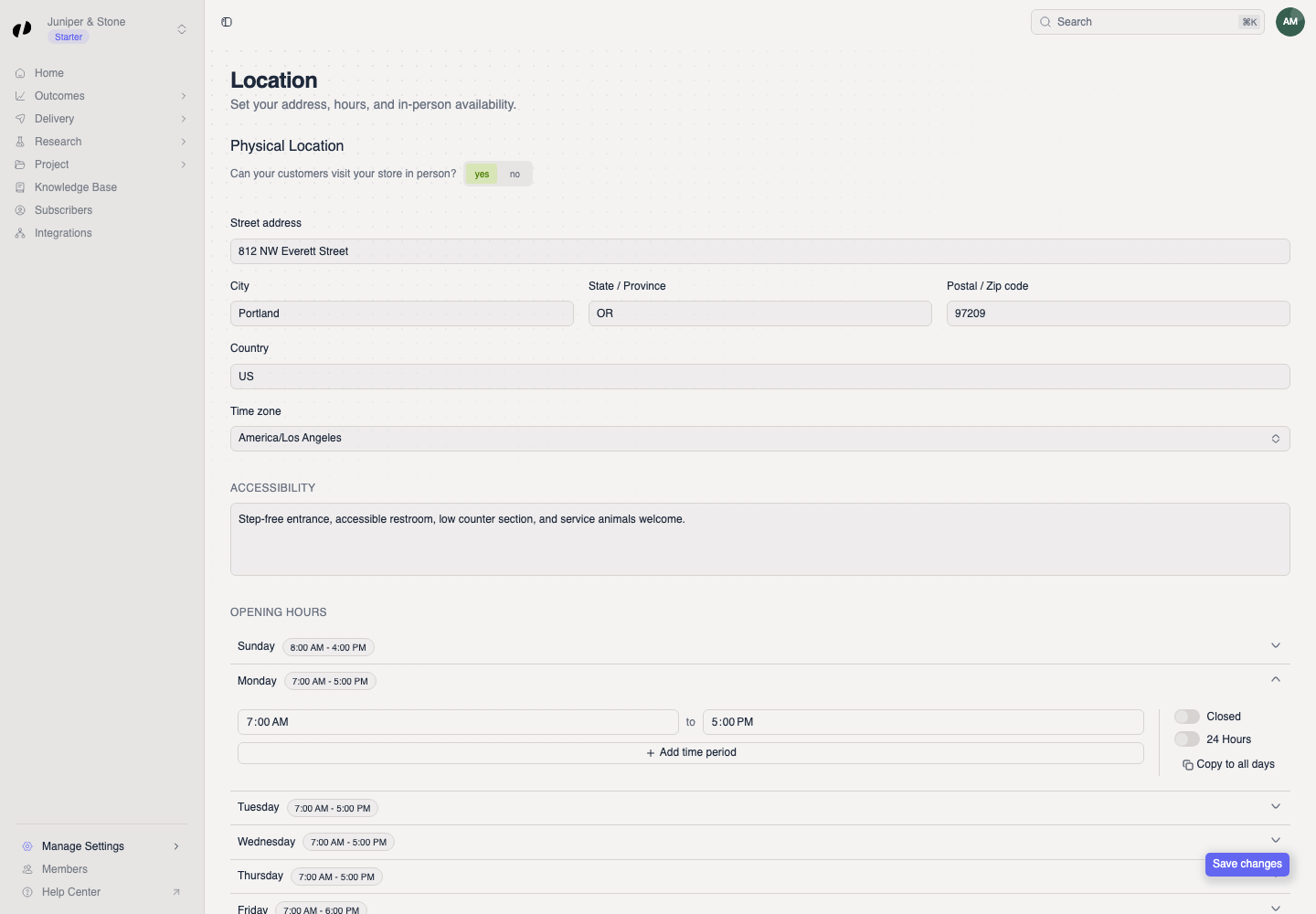
- Expand a day.
- Set its opening and closing times, or turn on Closed or 24 Hours.
- Use Add time period for split hours.
- Use Copy to all days only when the same schedule applies every day, then adjust exceptions.
- Select Save changes.
Verify the public hours
The Storefront updated message confirms the save. Open the public Storefront and check one weekday, one weekend day, and the time zone.
If the hours look wrong
- Check the time zone before changing the times.
- Expand each day after using Copy to all days and correct holidays or weekend hours.
- If the business is not open to visitors, choose no under Physical Location, select Save changes, and confirm the address disappears from the public Storefront.