Bookmark an opinion
Save a useful opinion to your Storefront profile and open it again later.
Updated August 10, 2026
StorefrontFind and follow
Bookmarks save individual opinions. Use Subscribe when you want to save a store or project.
Bookmark an opinion
Save from the opinion panel
- Sign in to the Storefront.
- Open a store or project page with published opinions.
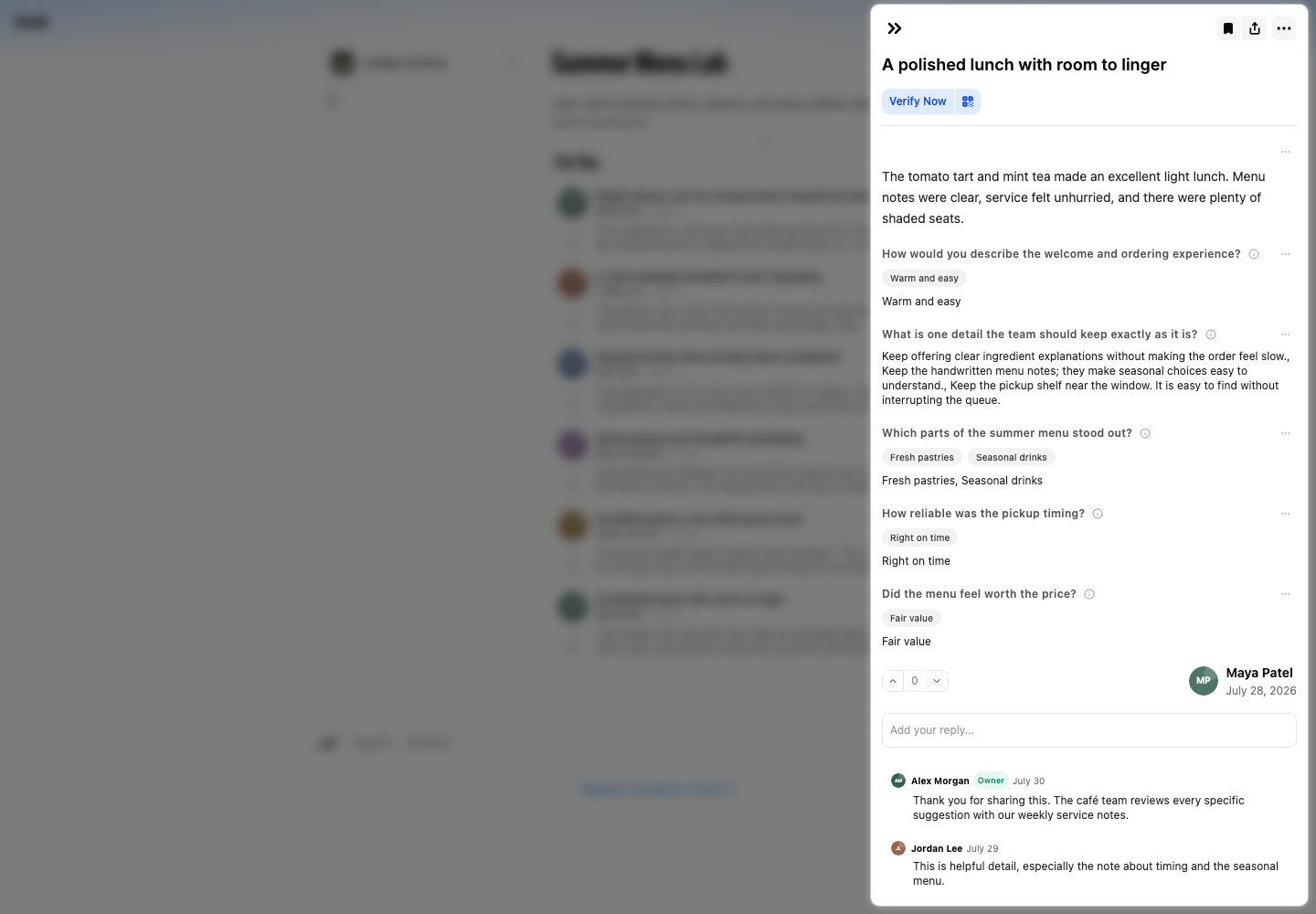
- Select an opinion card to open its detail panel.
- Select the bookmark icon at the top of the panel. Its tooltip reads Bookmark. A filled icon and the Remove Bookmark tooltip show that Orvelt saved it.
Open a bookmarked opinion
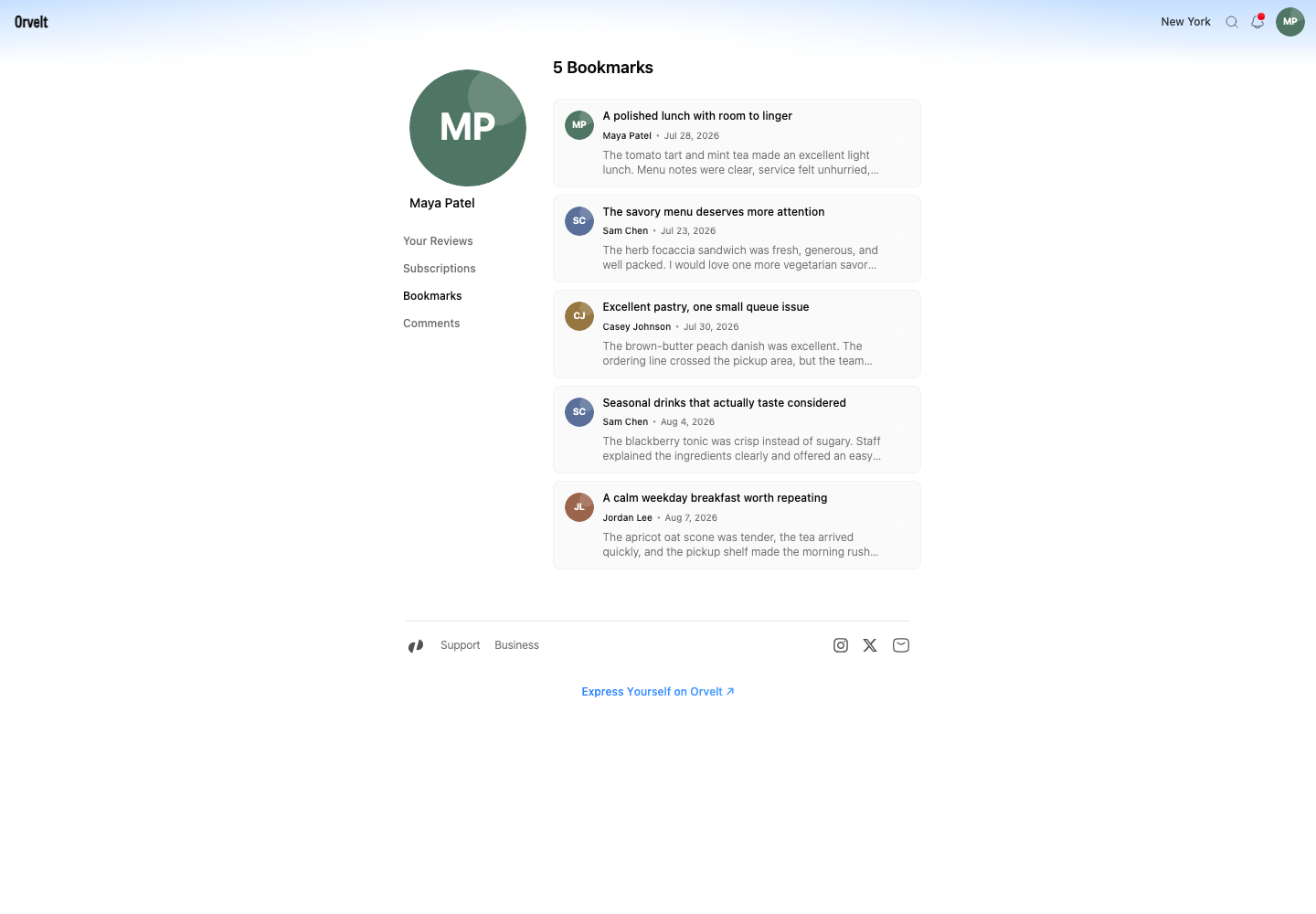
Find it in your profile
- Open Profile.
- Choose Bookmarks.
- Select the saved opinion to reopen it on the business's store page.
To remove the bookmark, reopen the opinion and select the filled bookmark icon. The tooltip changes from Remove Bookmark to Bookmark.
If a bookmark is missing
Confirm that you signed in with the account that created it. If the author or Orvelt removed the opinion, the bookmark no longer opens the original content.