Find a store
Browse categories and open a public store page in the Orvelt Storefront.
Updated August 10, 2026
StorefrontFind and follow
The Storefront home page lists local businesses and groups them by category. You do not need an account to browse.
Browse businesses
Choose a category
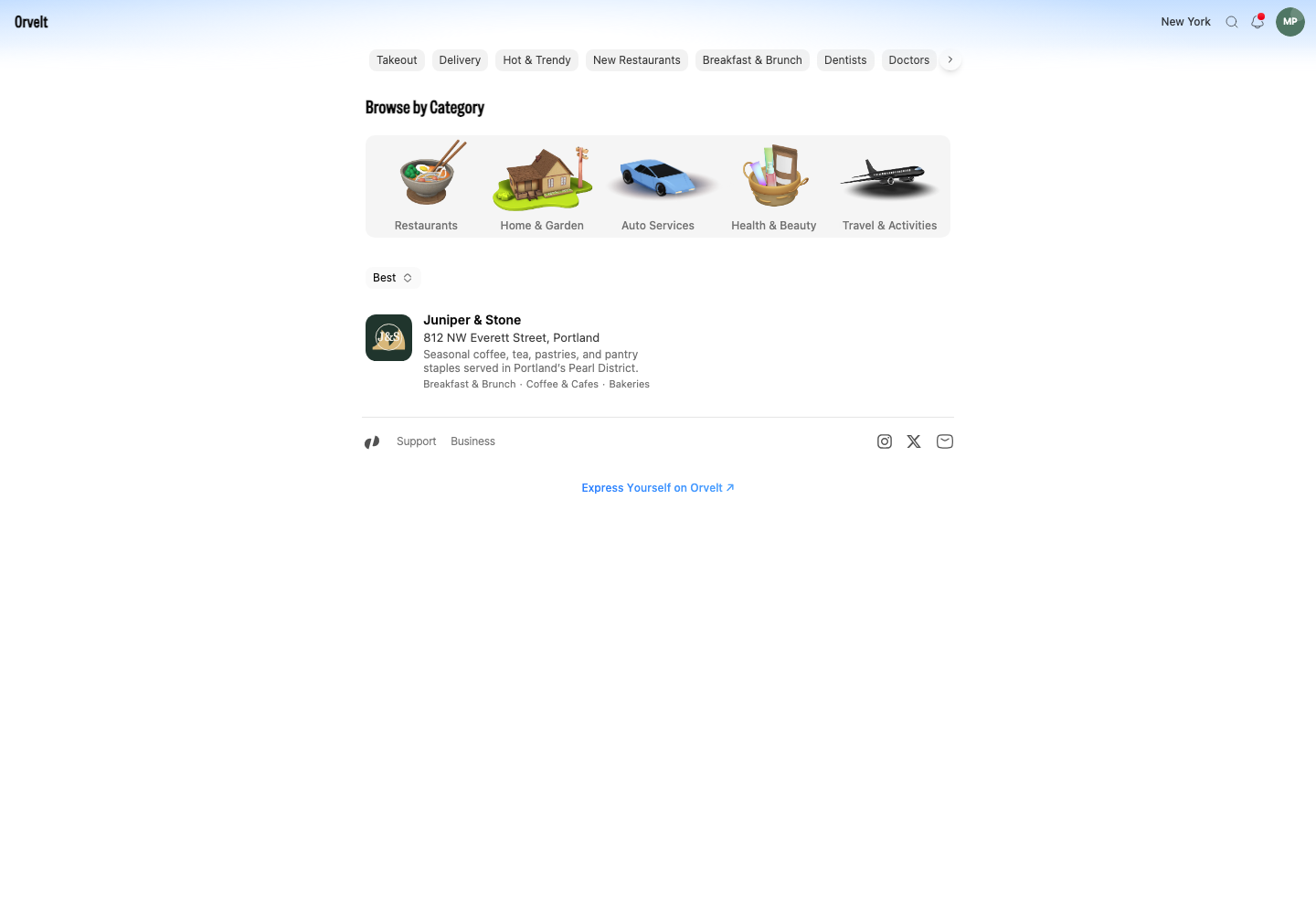
- Open the Orvelt Storefront home page.
- Choose a featured category, such as Coffee & Cafes, or use one of the large groups under Browse by Category.
- Choose a narrower category from the panel. Orvelt opens a category page with matching businesses.
- Select a business card. Each card shows the business name, location, description, and category tags when that information is available.
Read the store page
Check details and available actions
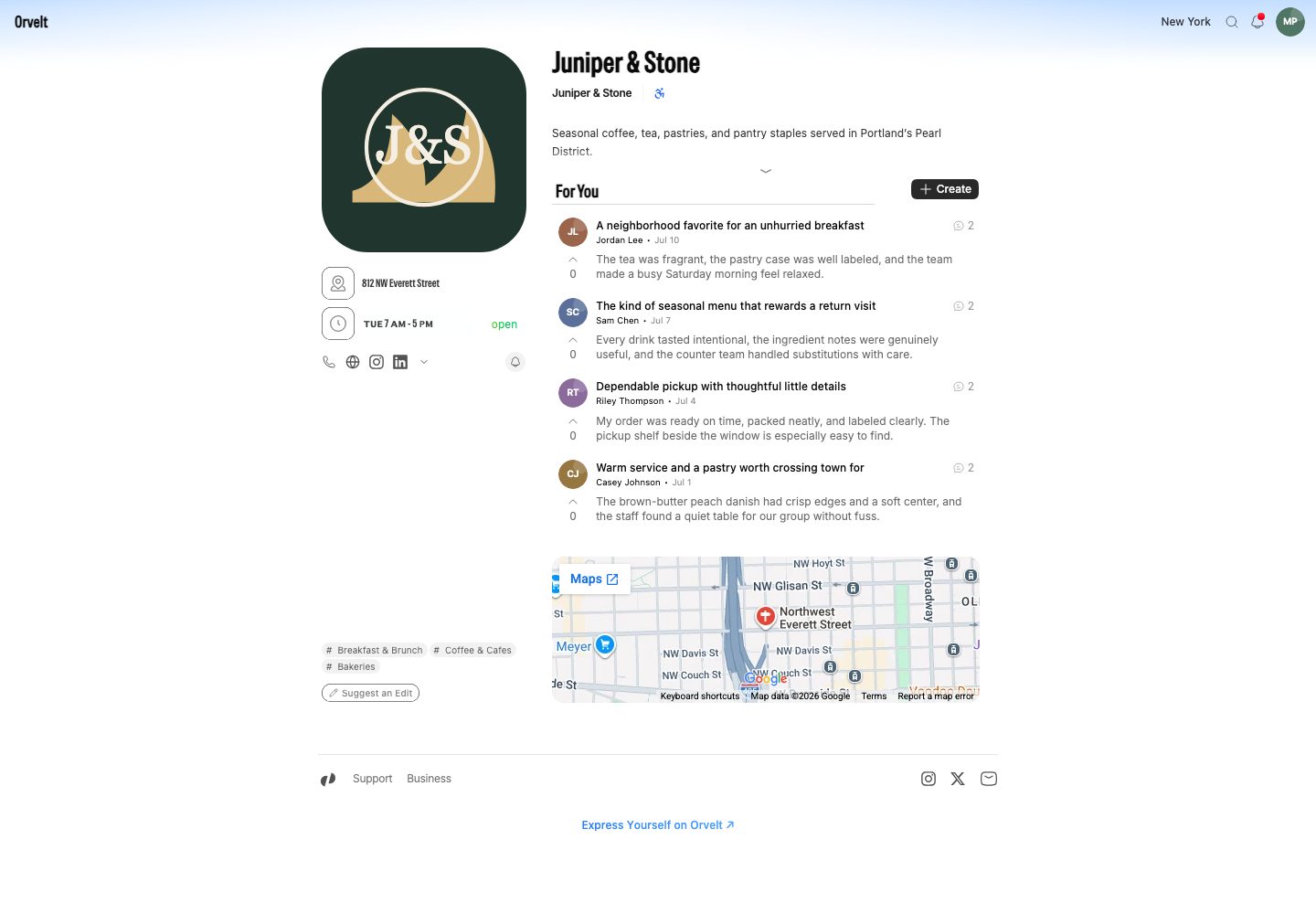
The store page can include its address, opening hours, contact links, accessibility details, map, and public opinions. Select Subscribe if you want to save the business to your Subscriptions list. Select Create in the For You section to write an opinion.
If the business is missing
Return home and try a related category. If the business still does not appear, suggest the missing store. The suggestion stays private while Orvelt reviews it, and you’ll be notified if the store goes live.