How verification works
See the steps, checks, and outcomes of each verification method, what stays private, and how to check a verification by its ID.
A Storefront guide, updated October 25, 2026. Run a business on Orvelt? See Business guides
Every verification records its steps in order. Anyone with a verification ID can see those steps, who decided each one, and the result of every check, without seeing the evidence itself.
Check a verification by its ID
Find the ID
Each verification has its own ID. Find it in Profile > Your opinions under Ways to verify in the Verification details dialog, or on the verification page itself. Select the copy button beside the ID to copy it.
Look it up
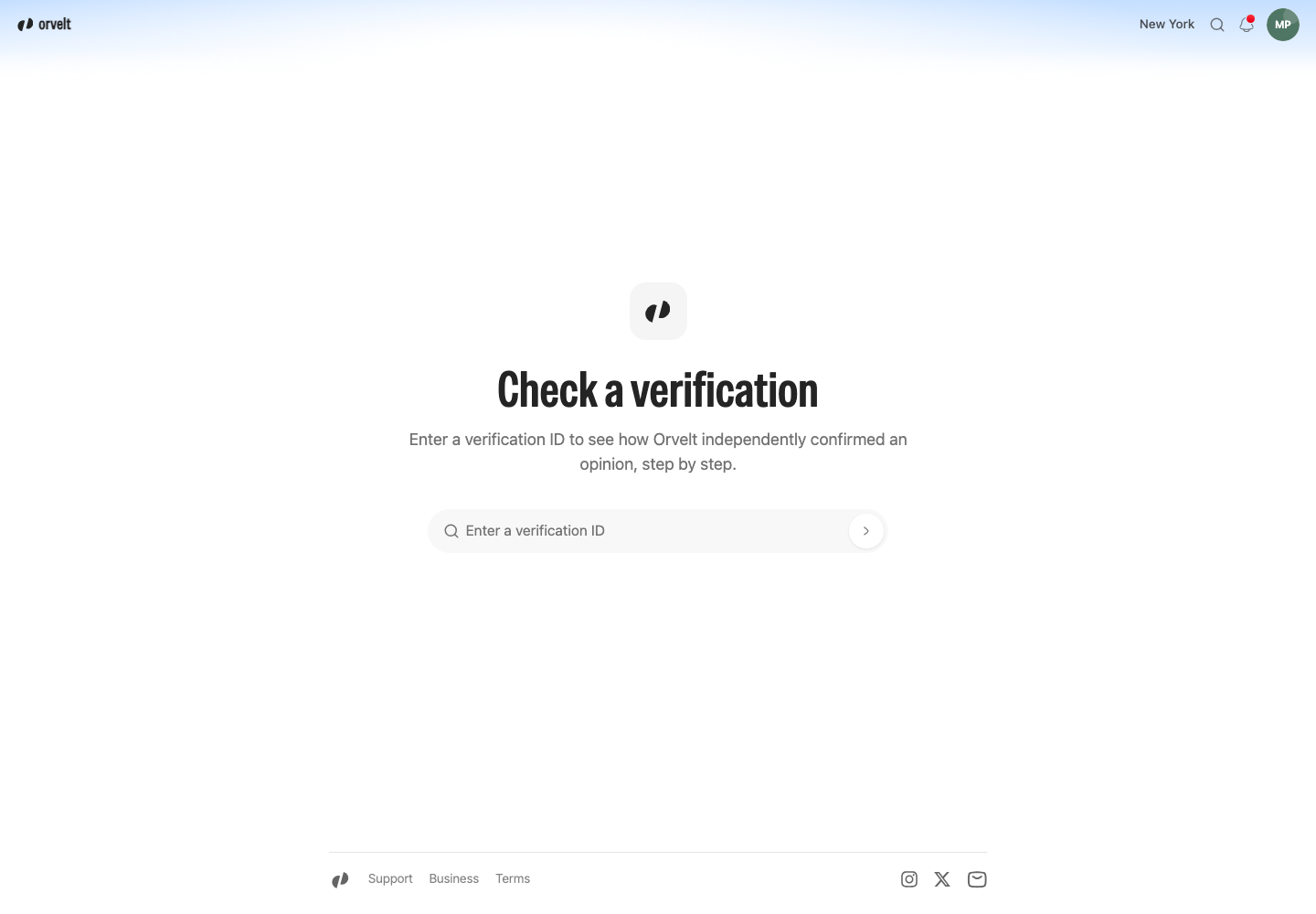
- Go to
/verifyon Orvelt. - Enter the ID under Check a verification.
- Select the arrow button.
No sign-in is needed.
What the page shows
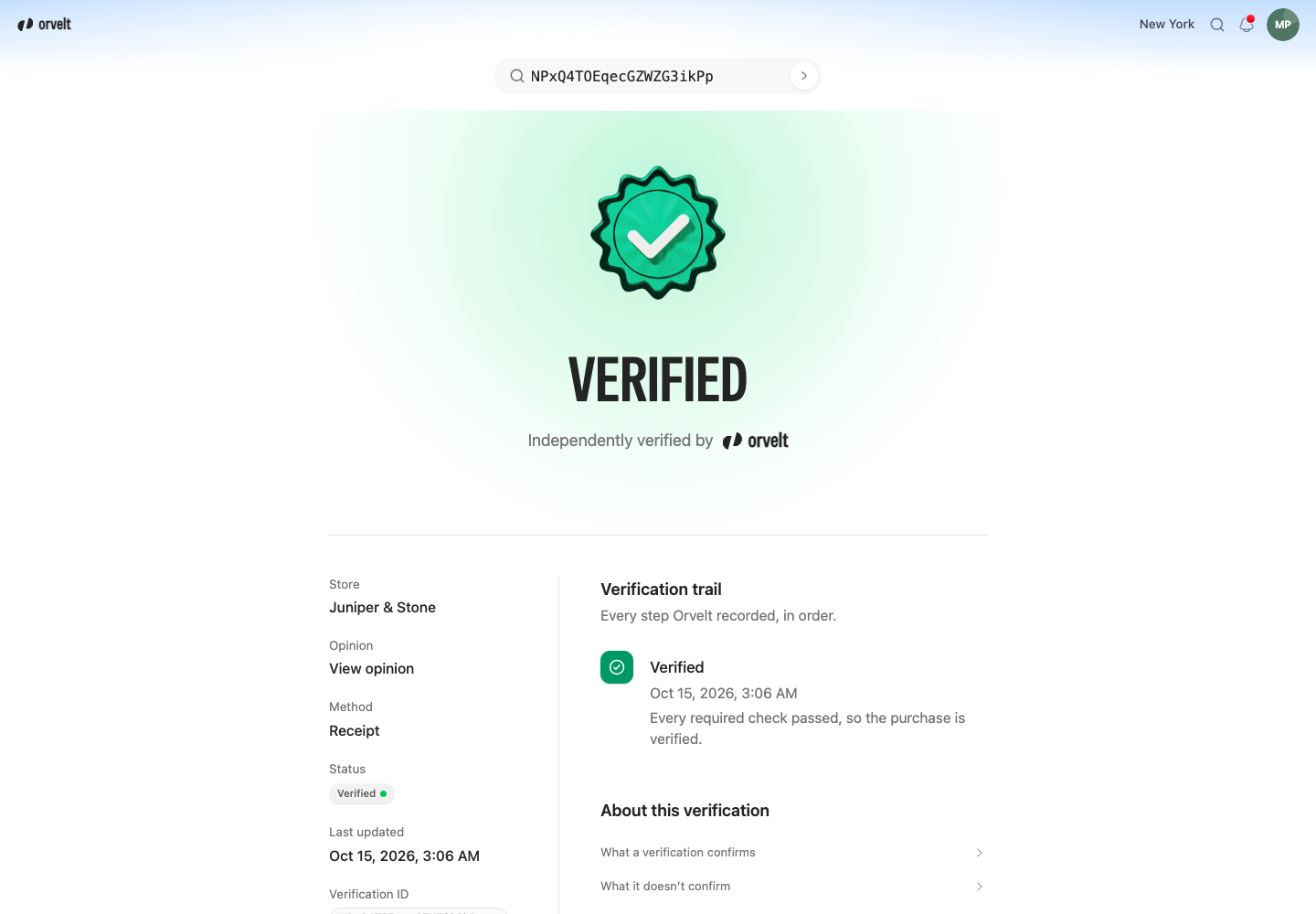
- The outcome, such as Verified with Independently verified by Orvelt, or Not verified, with one sentence on what happened and, once there is an outcome, when.
- Store and Opinion links, when the opinion is public. Otherwise both show Not publicly available.
- Method, Status, Last updated, and the Verification ID. A delivery link that hasn't been used to submit an opinion yet also shows Link expires.
- Other verifications on the same opinion, when the opinion is public.
- Verification trail, with every step Orvelt recorded, in order. Each step shows what it means, Decided by when it decided something, a reason when it sent the verification to a reviewer or ended it without verifying, and its checks with their results: Passed, Failed, Needs review, or Not applicable.
- What this page never shows, a reminder of what stays private.
Verifications recorded before checks and deciders were added show their steps without them.
Each method, step by step
Receipt
You upload a receipt or invoice, and Orvelt reads and checks it. Only Orvelt decides a receipt, through its automated checks or an Orvelt reviewer. The store has no part in it, including manual checks.
- Evidence submitted, or New evidence submitted when you replace earlier evidence. The status becomes Processing.
- Evidence processing started.
- Evidence extracted, when Orvelt reads the store name, date, and items. If it can't, the step is Evidence could not be read, Receipt is readable shows Failed, and the verification is Rejected, decided by Automated check, with the reason The proof of purchase couldn't be read.
- Automated evaluation completed, decided by Automated check, with four checks:
- Receipt is readable
- Receipt hasn't been used before
- Purchased items are listed
- Receipt names this store, which is Not applicable when there is no store name to check against
- If every check passed, Verified, decided by Automated check.
If a check shows Needs review, the automated checks don't reject the receipt. Instead, Manual check requested appears, decided by Automated check, and the status becomes Awaiting manual check. Its reason is the first check that needs a person, in this order:
- It looks like a proof of purchase that was already used.
- No purchased items could be found on the proof of purchase.
- The proof of purchase doesn't name this store.
An Orvelt reviewer, never the store, then decides:
- Manual check approved, then Verified, decided by Orvelt reviewer.
- Manual check declined, then Rejected, decided by Orvelt reviewer, with the reason A reviewer couldn't confirm the purchase.
A receipt has three days from upload to reach an outcome. If no reviewer has decided by then, the verification ends as Cancelled, decided by Automated check, with the reason The verification was cancelled. Some earlier verifications instead show Manual check deadline reached, then Rejected.
A receipt verification also ends as Cancelled when you withdraw the evidence (Evidence withdrawn, with the reason The customer withdrew their proof of purchase.) or when the opinion already has a delivery link or store QR verification, so the receipt isn't processed (Verification cancelled, decided by Automated check).
Store QR and Rotating store QR
You scan a QR code the store shows. A Store QR code stays the same until the store replaces or revokes it. A Rotating store QR code changes every five minutes, and only the code currently shown is accepted.
- Store QR code accepted, with the check Store QR code is genuine and current marked Passed.
- Verified, decided by Automated check.
A revoked code, an outdated rotating code, or a code from another store is refused, and no verification is recorded. If you discard the draft, the verification ends as Cancelled with Draft cancelled and the reason The verification was cancelled.
A QR verification confirms that the opinion started from the store's current code. It does not confirm who you are, that you bought anything, or where you were.
Delivery link
The store sends you a single-use link after a purchase.
- Verification token issued. The status is Awaiting submission, and the page shows Link expires.
- Delivery link opened, when you open the link and start an opinion.
- Submitted, when you submit the opinion.
- Verification token consumed, decided by Automated check, with the checks Link was issued by the store and Link was used before it expired, both Passed.
- Verified, decided by Automated check.
If no opinion is started with the link within seven days of it being issued, the trail shows Verification token expired. The verification is Expired, decided by Automated check, with the reason The verification link expired.
Auto verification
An Orvelt reviewer confirms the purchase directly. The trail has one step, Auto verified, decided by Orvelt reviewer, and the status is Verified. It runs no checks.
The Submitted step
On receipt, store QR, and delivery link verifications, Submitted marks when you submitted the opinion the verification covers. On a receipt or QR verification, where it appears in the trail depends on when you submitted the opinion.
What stays private
Never shown publicly
The verification page shows the steps, their times, who decided them, the reasons, and whether each check passed. It never shows:
- Receipt images and their contents, including any location attached to the upload.
- Purchased items and prices.
- The store address on the receipt.
- The purchase time on the receipt.
- Your identity and the reviewer's identity. Deciders appear only as Automated check or Orvelt reviewer.
- Delivery link and QR code credentials.
- Anything about other receipts compared in the duplicate check. Receipt hasn't been used before shows only its own result.
- A link to an opinion that you posted anonymously, that is private, or that is still a draft. Those show Not publicly available, and their other verifications are not listed.
Why
A check result is enough to show how a verification was decided. The evidence behind it can identify you, your purchases, or the store's customers, and a credential could be reused if it were shown. Keeping an anonymous, private, or draft opinion unlinked means a verification ID can't be used to find it.