Update your profile
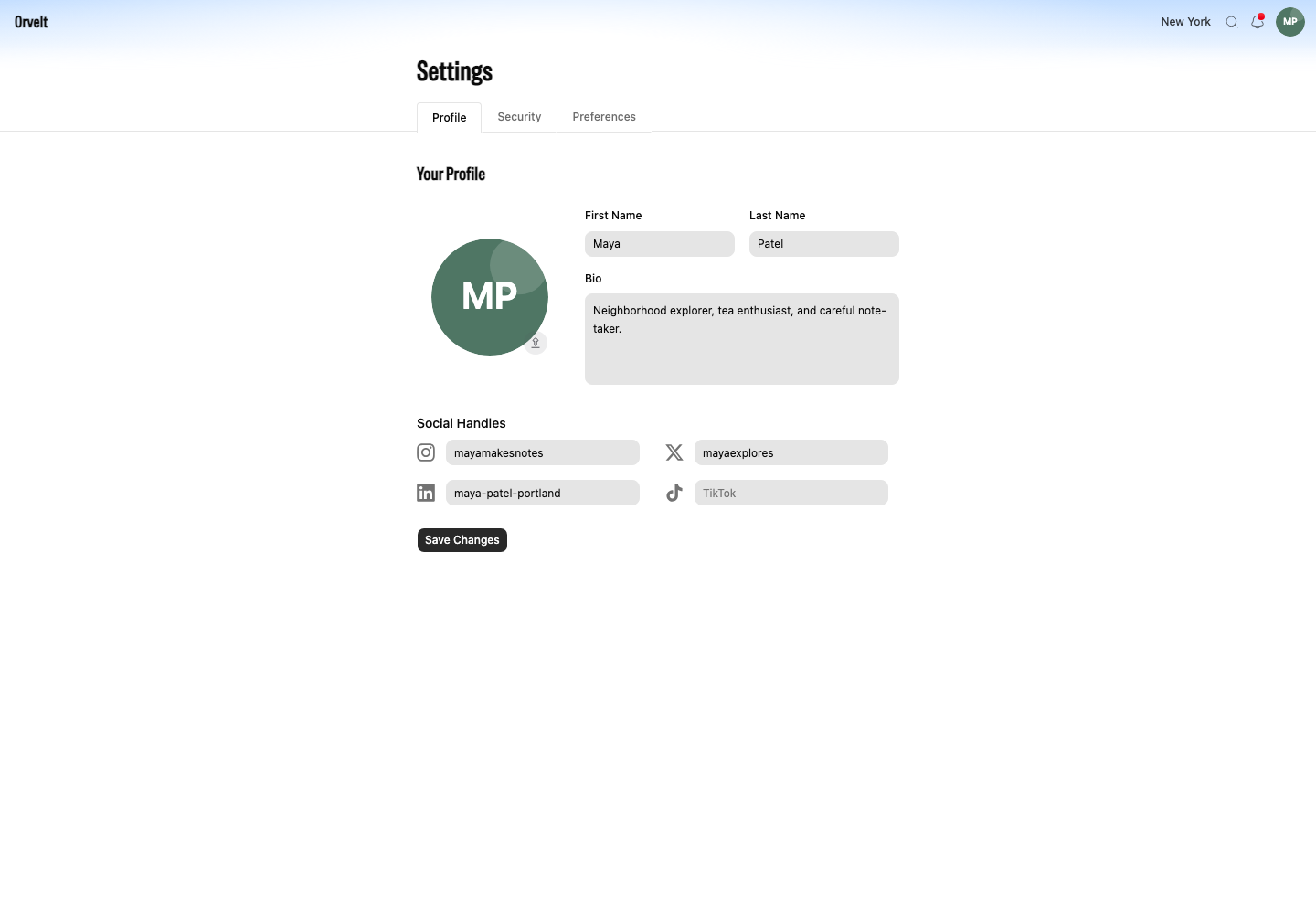
Change the name, avatar, bio, and social handles attached to your Storefront account.
Your name and avatar identify you on opinions and comments. Your profile can also include a bio and social handles.
Edit your details
Save your name, bio, and handles
- Sign in, open Settings, then choose Profile.
- Update First Name, Last Name, or Bio under Your Profile.
- Add handles under Social Handles if you want them on your profile.
- Select Save Changes.
Replace your avatar
To replace the avatar, select the current image and choose a supported image file. Storefront uploads the avatar as soon as you confirm the file; the other fields wait for Save Changes.
Check the result
Review your public identity
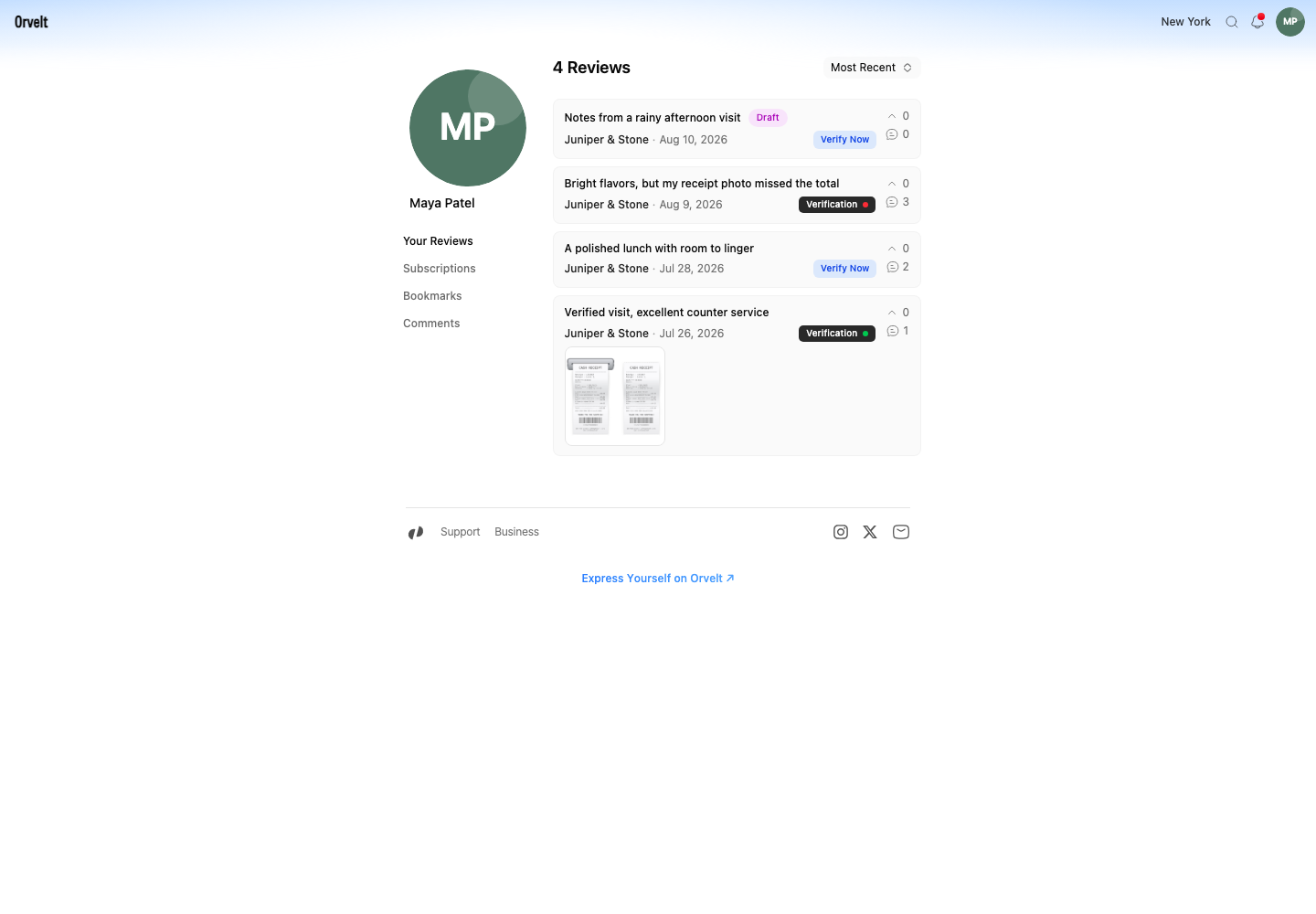
Open Profile from the main navigation. Your updated avatar and name appear above Your Reviews, Subscriptions, Bookmarks, and Comments. New opinions and comments use the same identity unless you post an opinion in anonymous mode.
If a change does not appear
Return to Settings > Profile and check the field. Select Save Changes again for text and social handles. Reload the page after an avatar upload finishes.