Invite an organization member
Invite a colleague by email and choose their organization role, project teams, and product access.
Updated August 10, 2026
BusinessBusiness account
Use Members to manage organization access. A project subscriber is a Storefront user and does not belong on this page.
Review current access
Check seats, invites, and roles
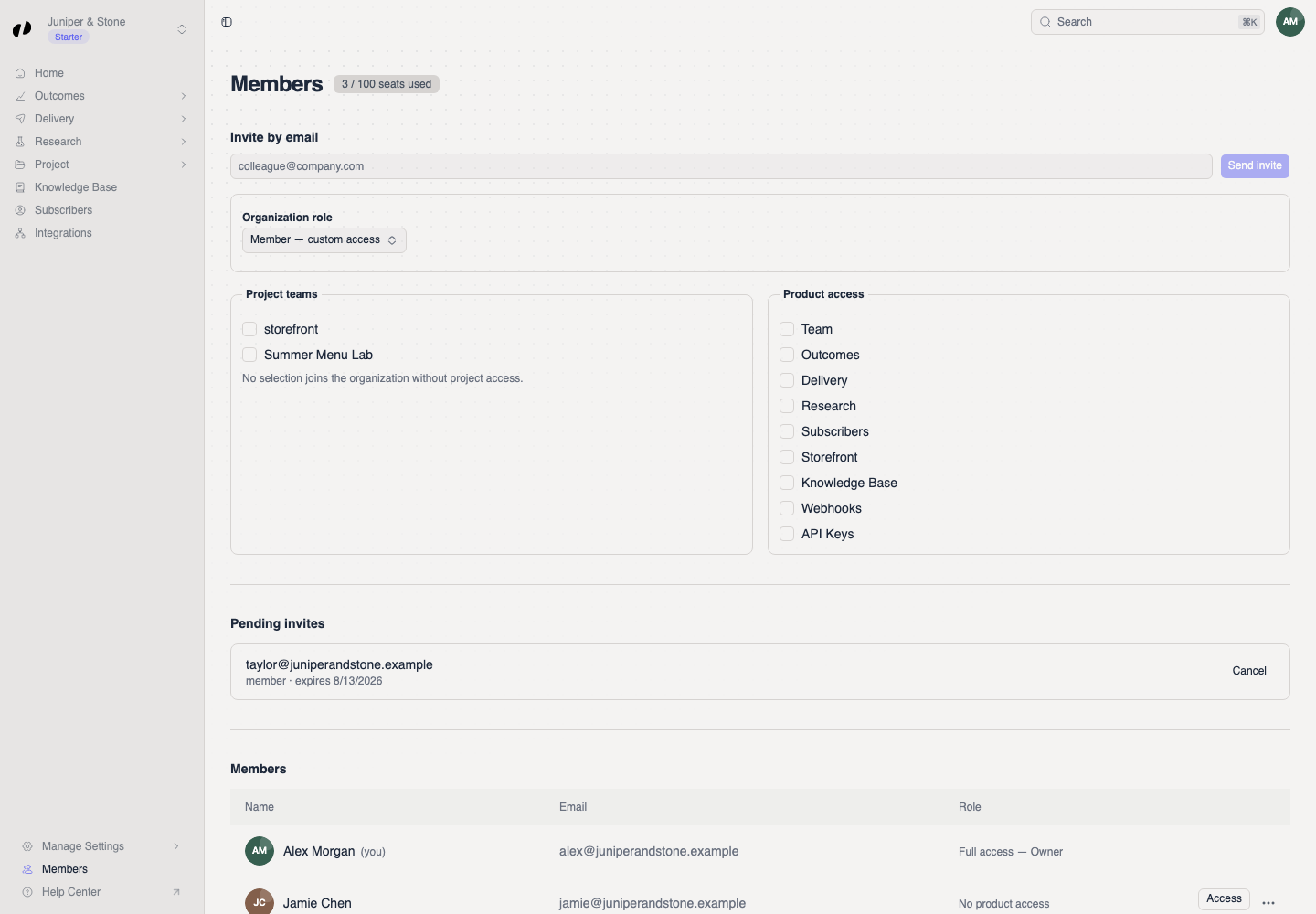
Open Members from the Business sidebar or profile menu. The page shows seats used, pending invites, and current members with their role or custom access.
Send the invitation
Choose role and access
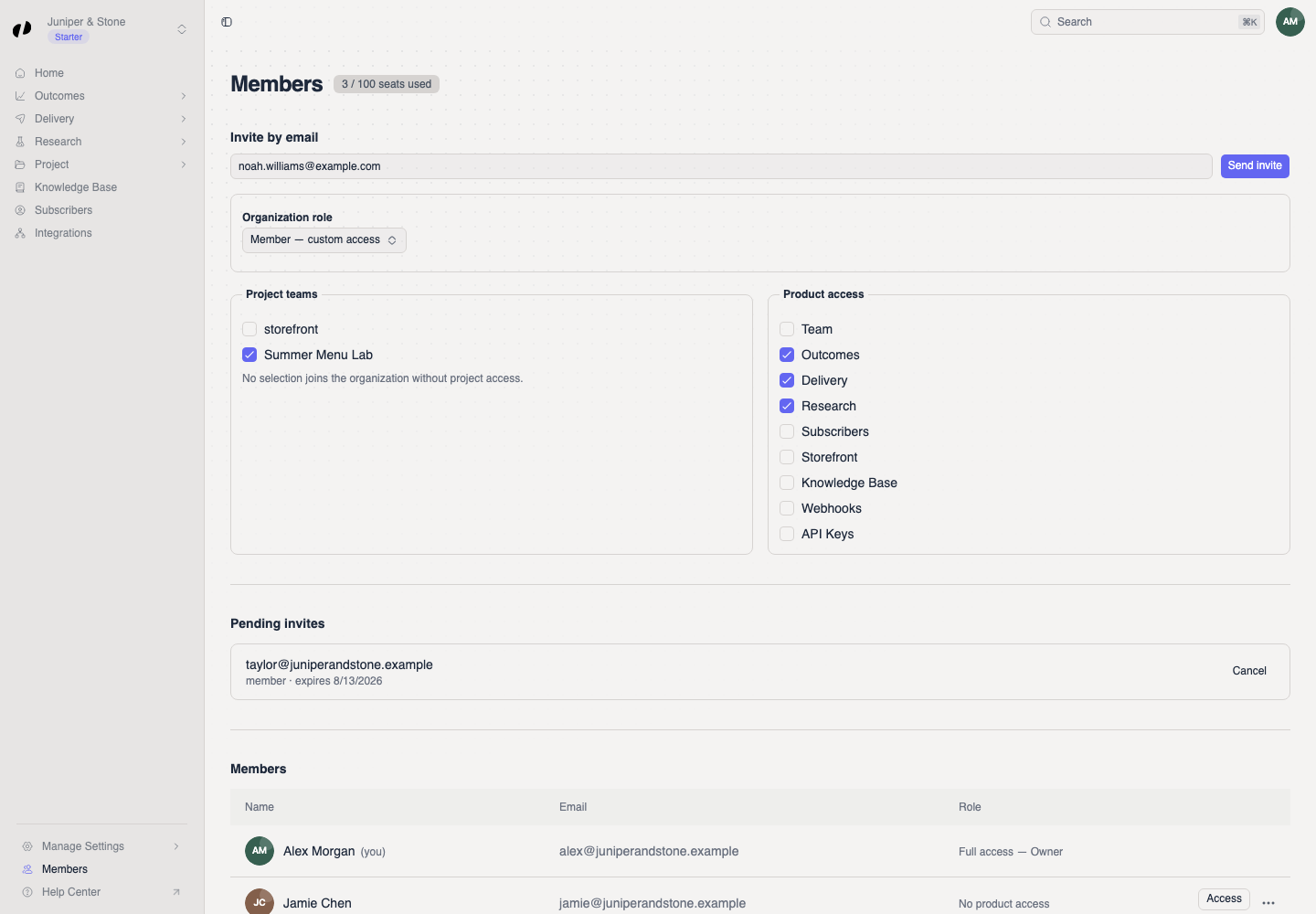
- Under Invite by email, enter the colleague's email address.
- Choose an Organization role:
- Member — custom access lets you select product areas.
- Admin — elevated access grants elevated permissions automatically.
- Under Project teams, select each project they should access. No selection adds them to the organization without project access.
- For a Member, select the needed Product access, such as Outcomes, Delivery, Research, Storefront, Knowledge base, Webhooks, or API keys.
- Select Send invite.
Confirm delivery
The Invitation sent message and a new row under Pending invites confirm delivery. After the colleague accepts, they appear under Members.
If the invite is wrong or expires
Select Cancel beside the pending invite, then send a new invitation with the correct email or access. For an existing member, use Access in their row instead of sending another invite.