Review or change the Business plan
Check the organization's current plan, usage allowances, billing status, and available plan actions.
Plans include the same product capabilities and change usage allowances. Only an organization owner or admin with billing access can make changes.
Review the current plan
Check status and usage
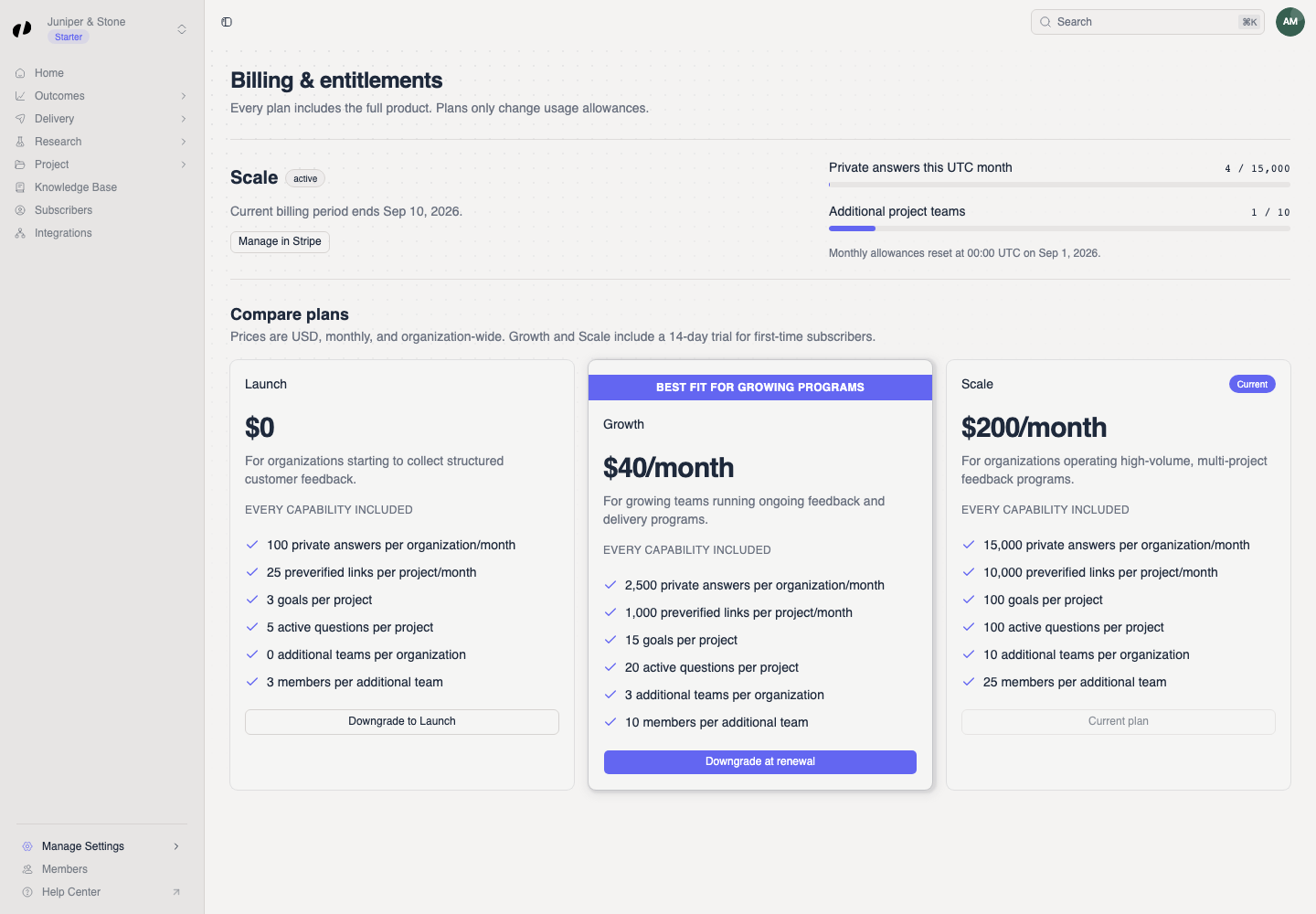
Open Manage Settings > Billing. Under Billing & entitlements, check:
- the current plan and billing-status badges;
- any trial, renewal, cancellation, scheduled-change, or past-due message;
- Private answers this month usage;
- Additional project teams usage and the next reset date.
Understand the available billing actions
The free Launch plan is applied automatically without a Stripe subscription. A paid plan can show Manage in Stripe, Fix payment in Stripe, or Keep current plan, depending on its state.
Compare or change plans
Choose the intended plan action
Scroll to Compare plans. The Current badge identifies the active plan. Other cards show the available action, such as Choose plan, Upgrade now, Downgrade at renewal, or Downgrade to Launch.
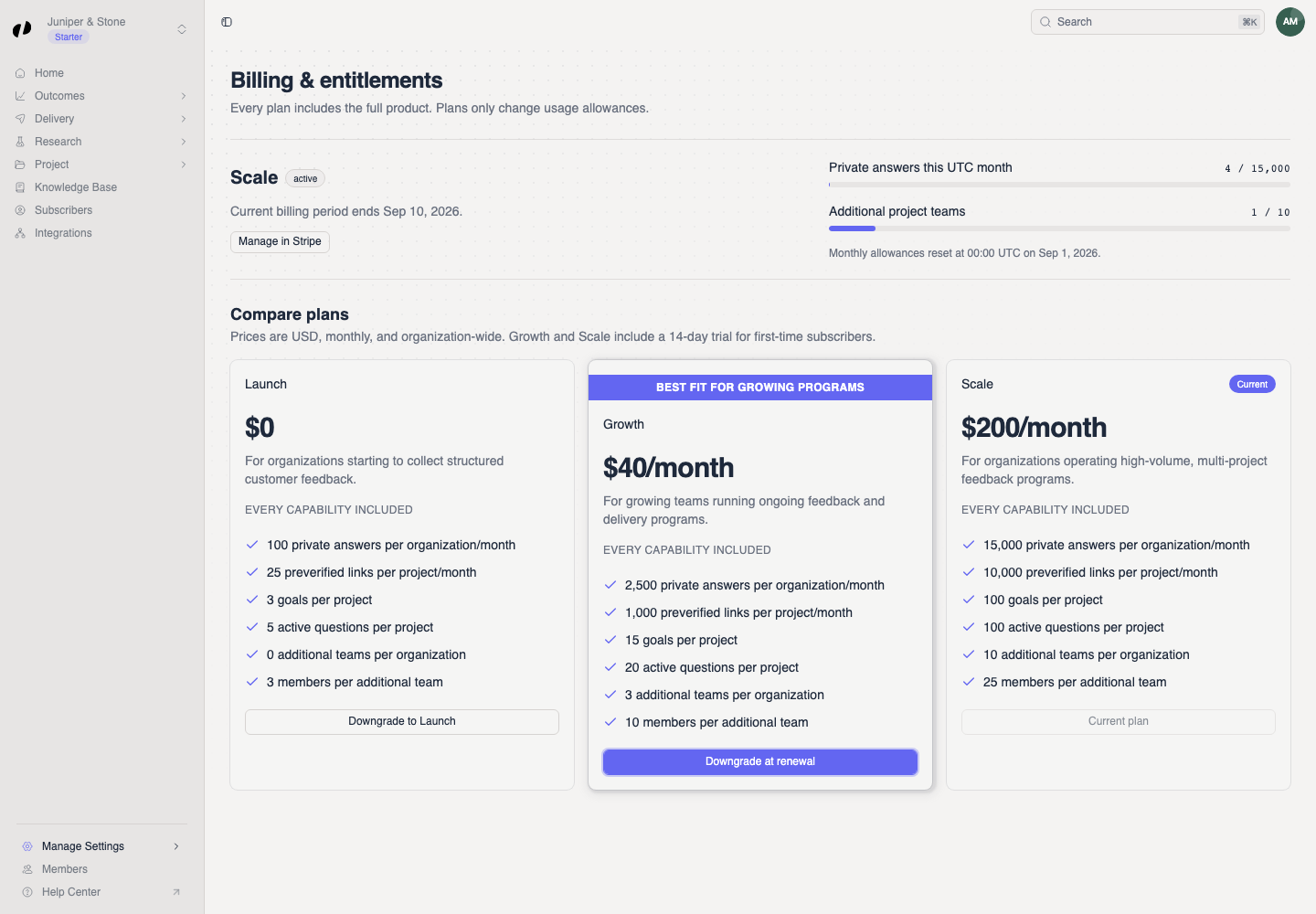
Select the intended action and follow the Stripe page when Orvelt opens it. Return to Billing & entitlements and confirm the current-plan badge or scheduled-change message.
If you cannot change billing
- Contact an owner or admin means your member access cannot manage billing.
- Resolve a past-due payment with Fix payment in Stripe before changing plans.
- If Stripe closes before completion, return to Billing and check the displayed state before trying again.