Update your Business profile and theme
Change your personal Business profile, social handles, and display theme without changing the public Storefront.
Updated August 10, 2026
BusinessBusiness account
Business Settings apply to your account. To change the customer-facing business name, description, or links, use Manage Settings > Details instead.
Update your profile
Save personal details
- Select your avatar, then choose Settings.
- On the Profile tab, update your avatar, First Name, Last Name, or Bio.
- Update any Social Handles that belong to you.
- Select Save Changes.
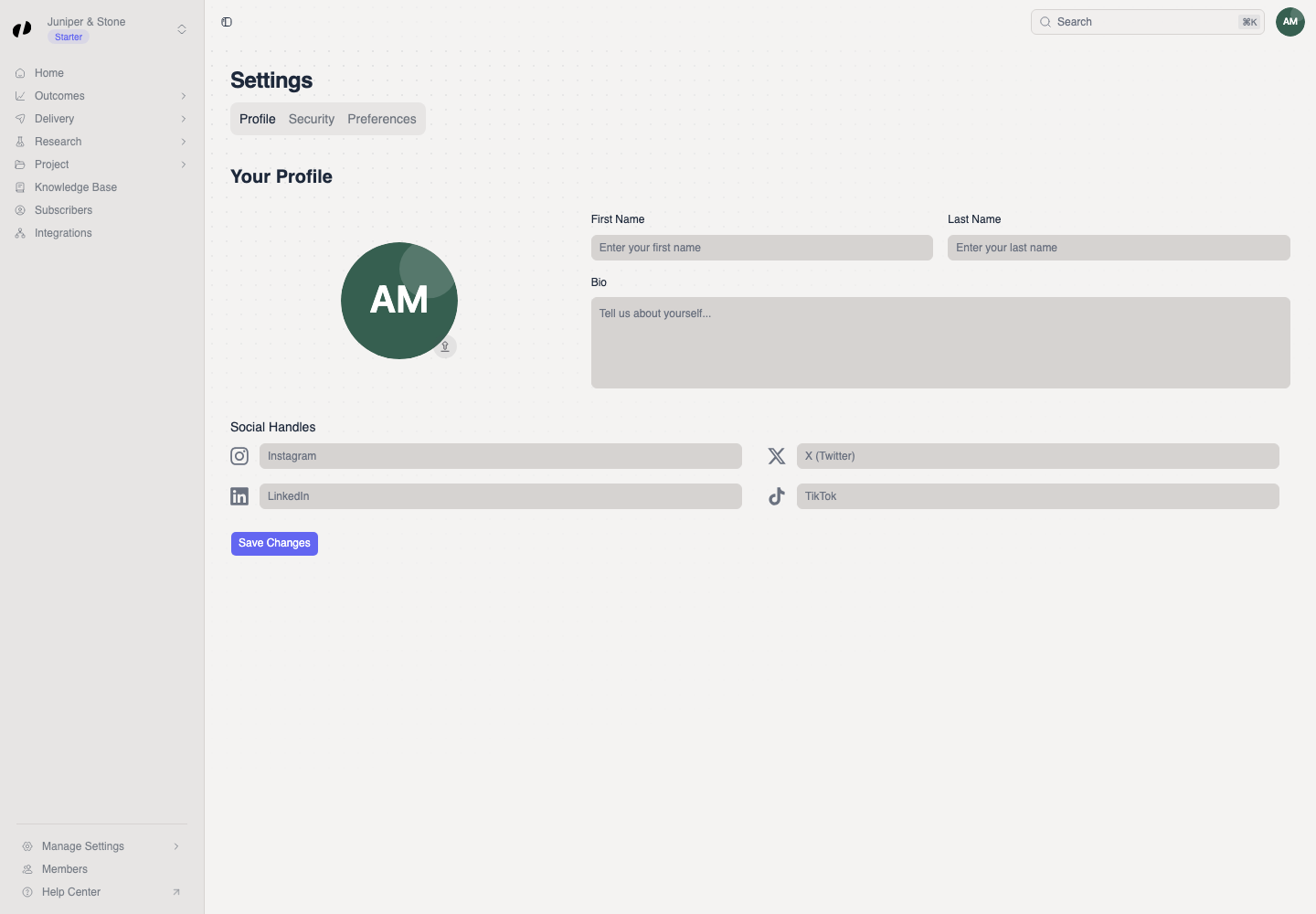
Confirm the saved profile
The profile update messages confirm the save. Reload Settings and check that the values remain.
Change the theme
Choose a fixed or system appearance
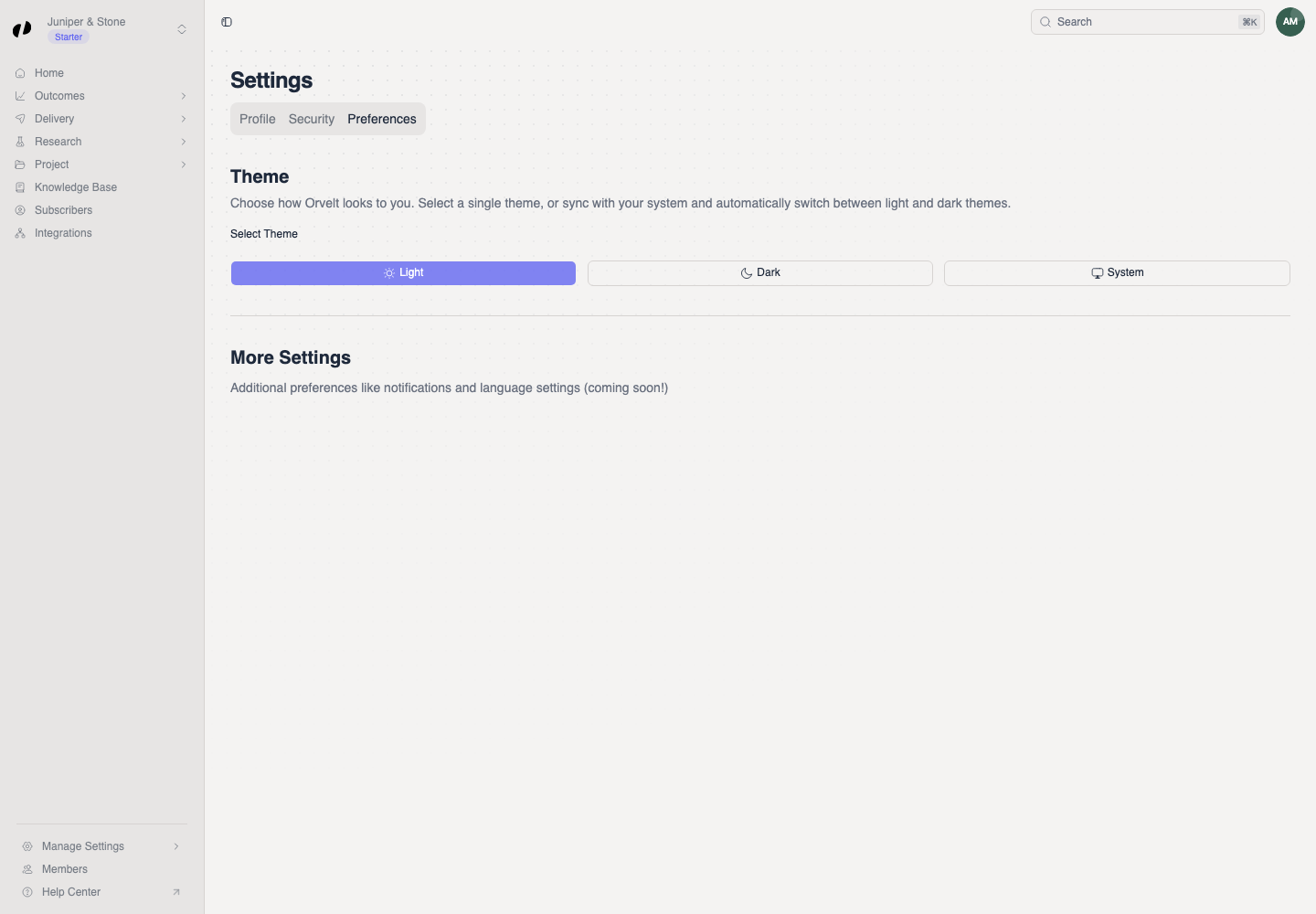
- Open the Preferences tab.
- Under Select Theme, choose Light, Dark, or System.
The theme changes immediately. System follows the light or dark setting on your device.
If profile changes do not save, complete the required name fields and try again. If the theme looks wrong under System, check the device appearance setting or choose Light or Dark explicitly.