Reply to a customer opinion
Post a business reply in the same comment thread customers use to continue the conversation.
Updated August 10, 2026
BusinessFeedback
Business replies are comments in the opinion thread. There is no separate owner-response field, and you can add another reply when the conversation continues.
Post a reply
Open an unresponded thread
- Open the project and choose Outcomes > Opinions.
- Use Responded > Unresponded when you want opinions that have no business reply.
- Select an opinion card to expand it.
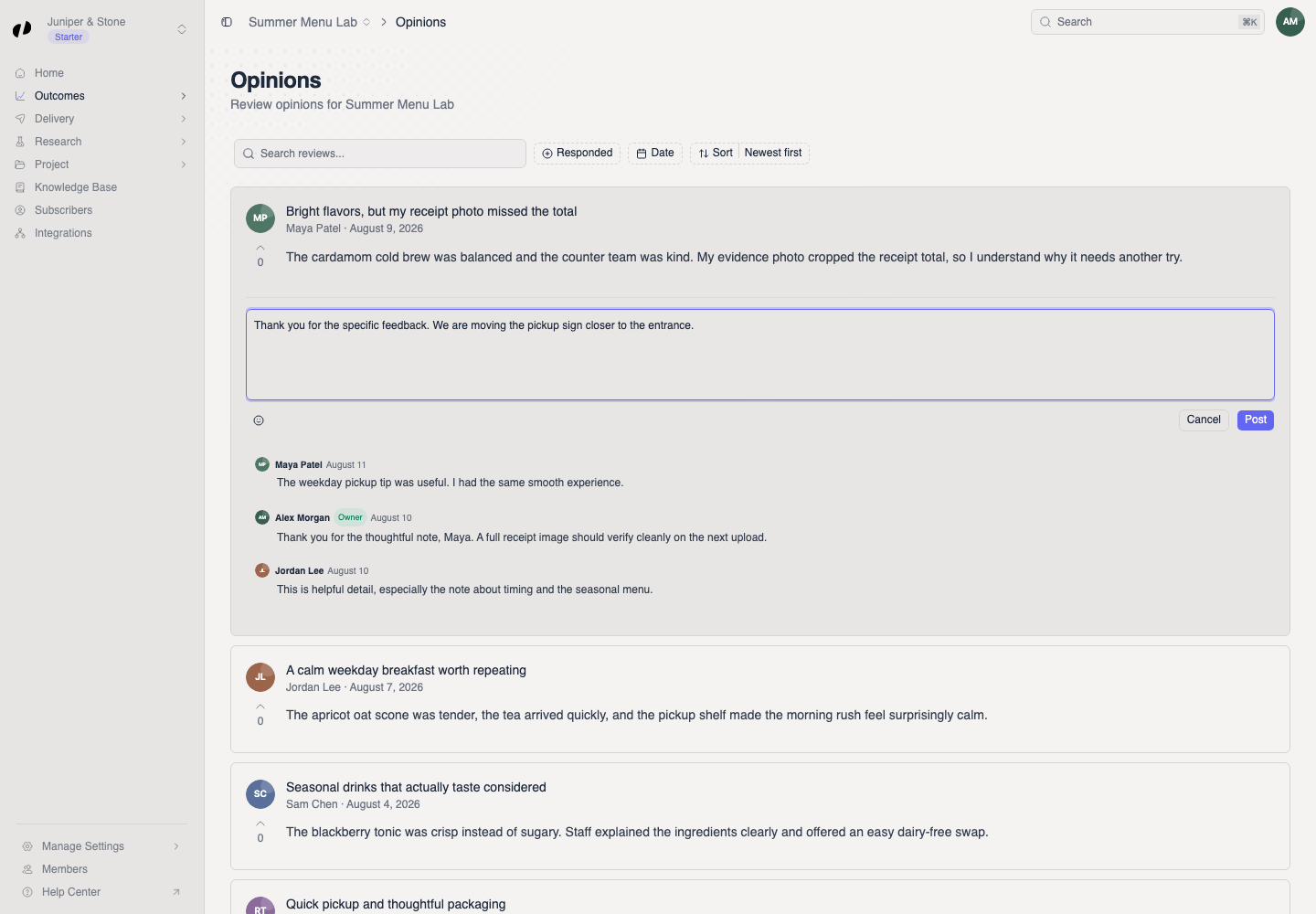
- Select Add your reply... and write a direct response.
Publish and confirm the reply
- Select Post.
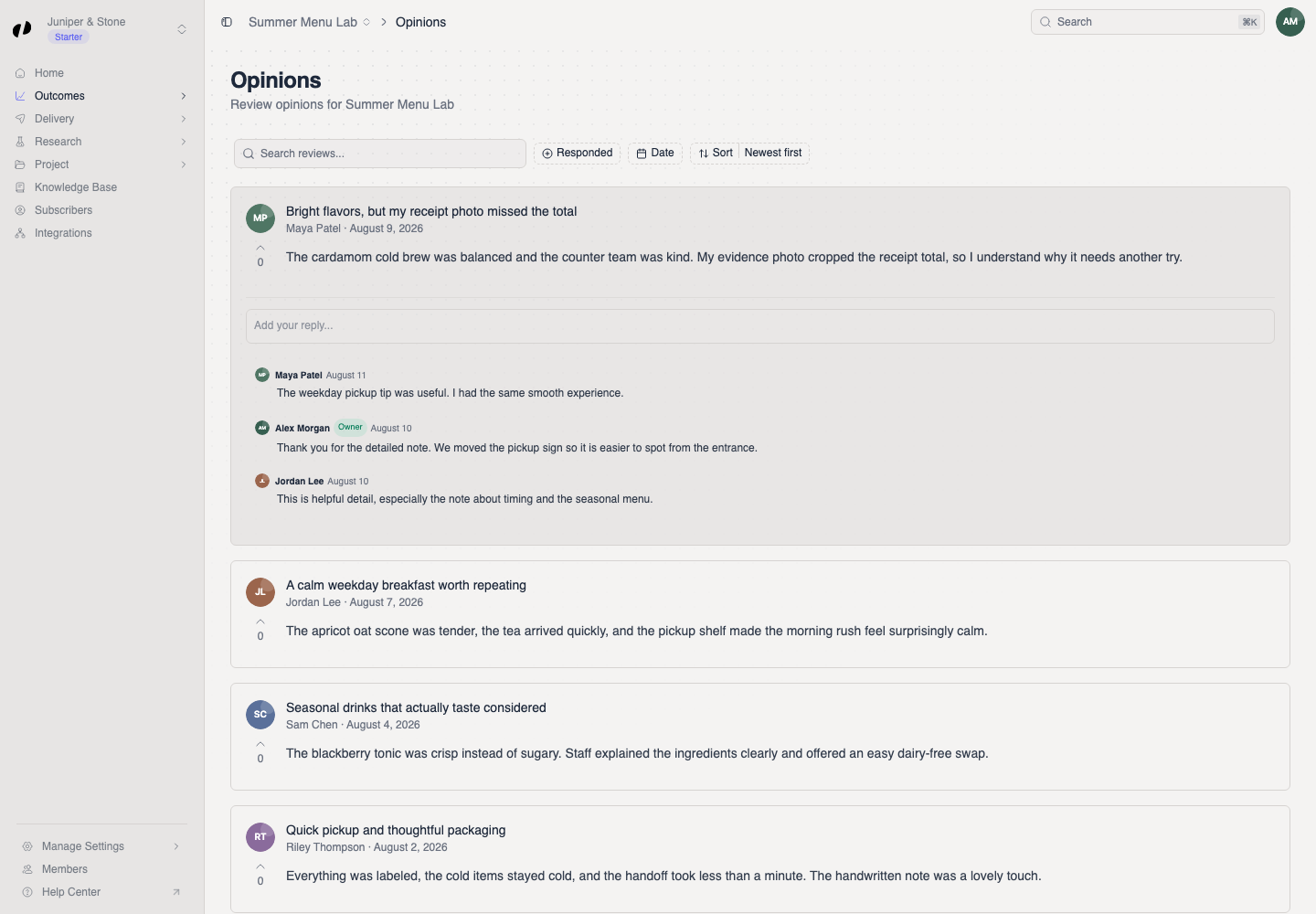
The reply appears in the comment thread with an Owner badge. The Response posted message confirms the save.
If you cannot post
- Post stays unavailable until the reply contains text.
- If posting fails, keep a copy of the text, reload the opinion, and try once more.
- If the reply controls are missing, ask an owner or admin for Outcomes access to the project.