Connect review webhooks
Send review and verification events to a public HTTPS endpoint your team controls.
Updated September 20, 2026
BusinessIntegrations
Webhooks send review and verification events to another system. Prepare a public HTTPS endpoint that accepts POST requests before you configure the destination.
Open Webhooks
Open the available integration
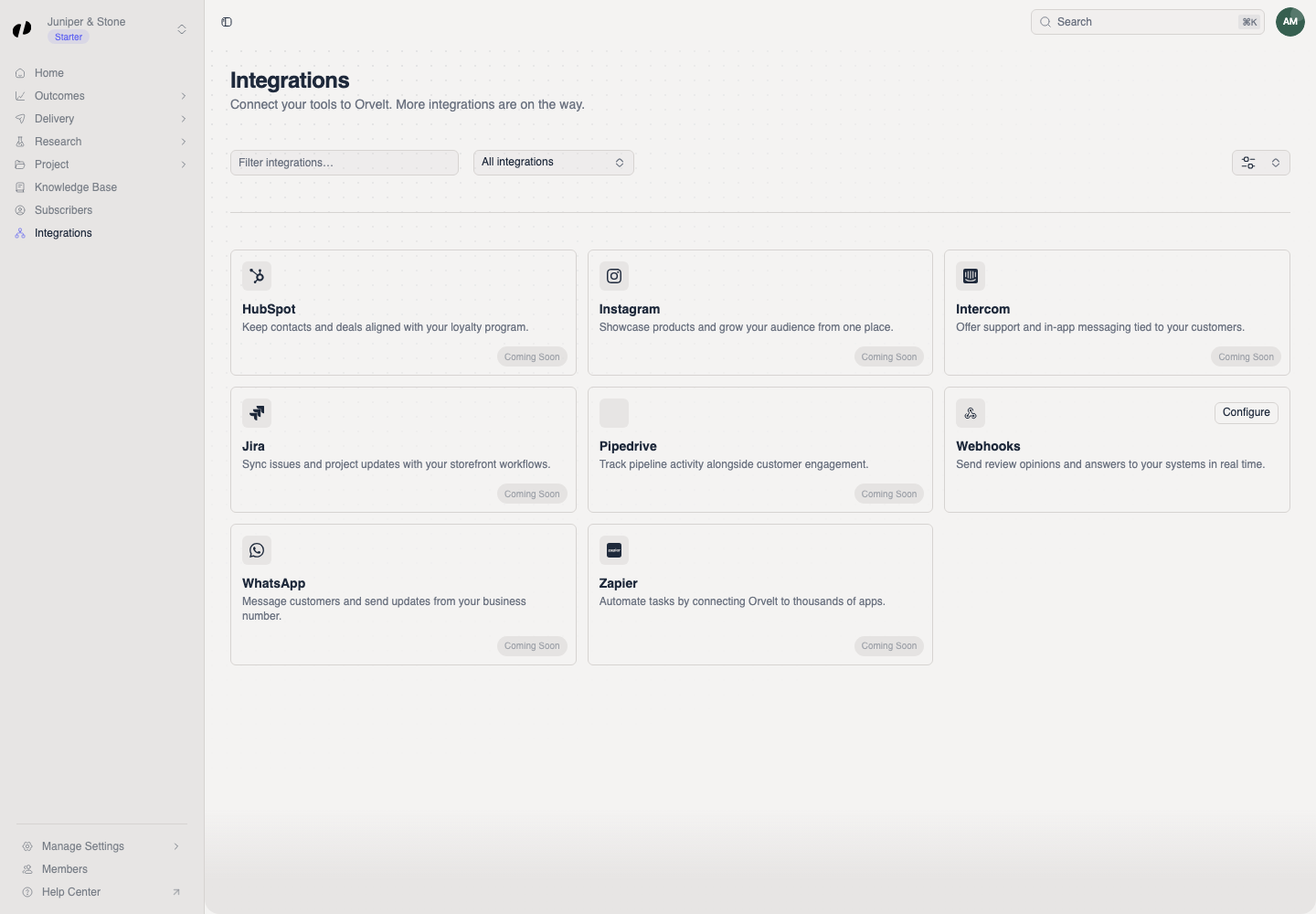
- Open Integrations in Orvelt Business.
- Find Webhooks and select Configure.
The other listed integrations marked Coming Soon cannot be connected yet.
Save the destination
Choose the URL and events
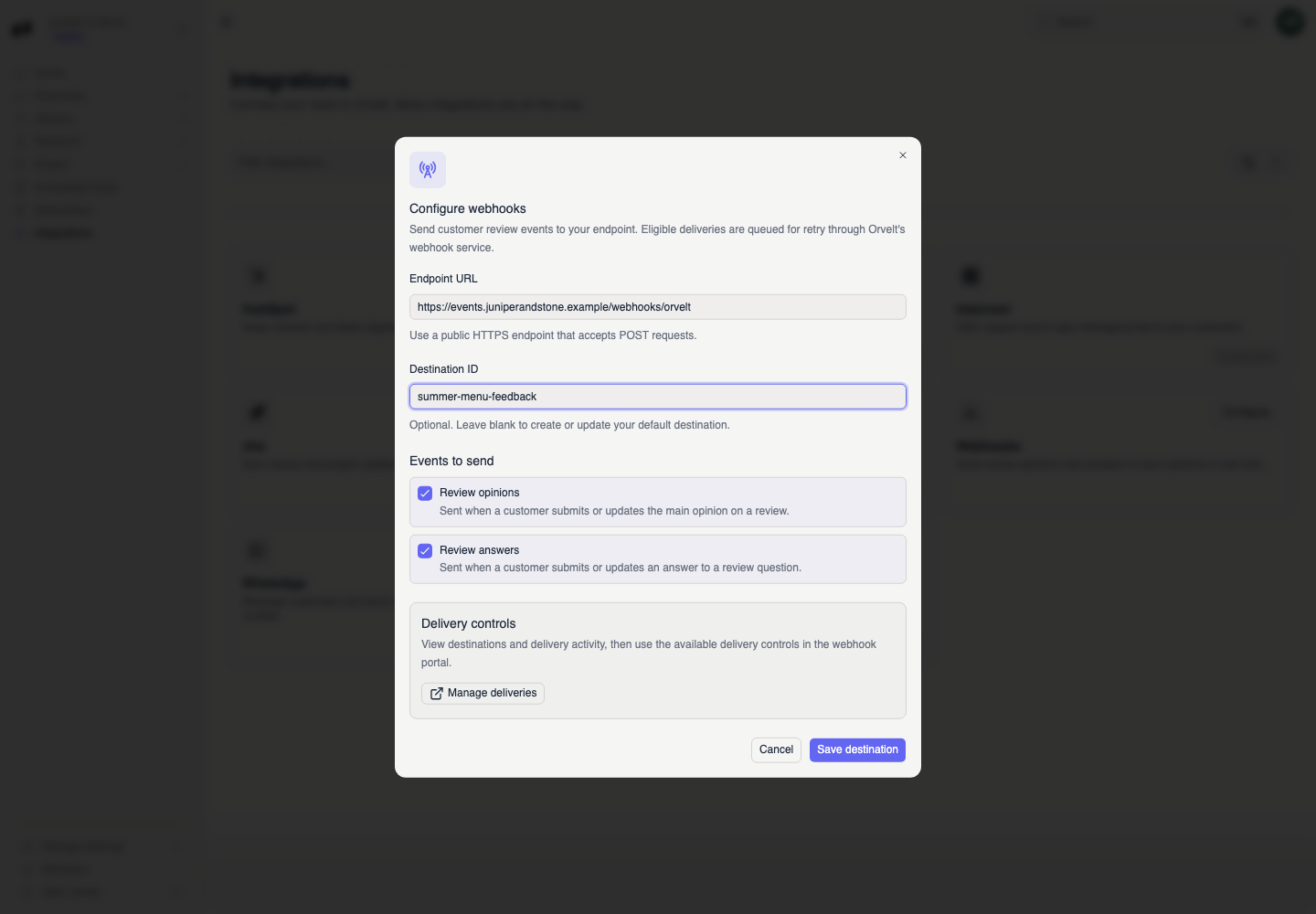
- Enter the public Endpoint URL.
- Add an optional Destination ID. Leave it blank to create or update the default destination.
- Under Events to send, choose Review opinions, Review answers, Verification events, or any combination your endpoint handles.
- Select Save destination.
Confirm delivery activity
The Webhook destination saved message confirms the change. Select Manage deliveries to open the webhook portal and inspect destinations and delivery activity.
If events do not arrive
- Confirm that the endpoint is public, uses HTTPS, and accepts POST requests.
- Check that the missing event type is selected.
- Open Manage deliveries and inspect the delivery activity before saving a second destination.
- If you lack Webhooks access, ask an owner or admin to update your member access.