Webhooks
Have Orvelt call your server the moment a customer posts an opinion, answers a question, or verifies a purchase.
Webhooks let your server react the moment something happens: open a ticket for a new opinion, alert the team about a low rating, or update a dashboard, without polling. Orvelt sends an event when a customer submits, edits, or deletes an opinion, answers a question, comments, verifies a purchase, or subscribes, and when your team, or Auto priority, changes a project, question, or QR code.
Create a destination
A destination is the HTTPS URL Orvelt delivers events to, plus the topics it receives. Events cover only projects in your organization, and verification events never include receipt images or extracted evidence.
In Orvelt Business
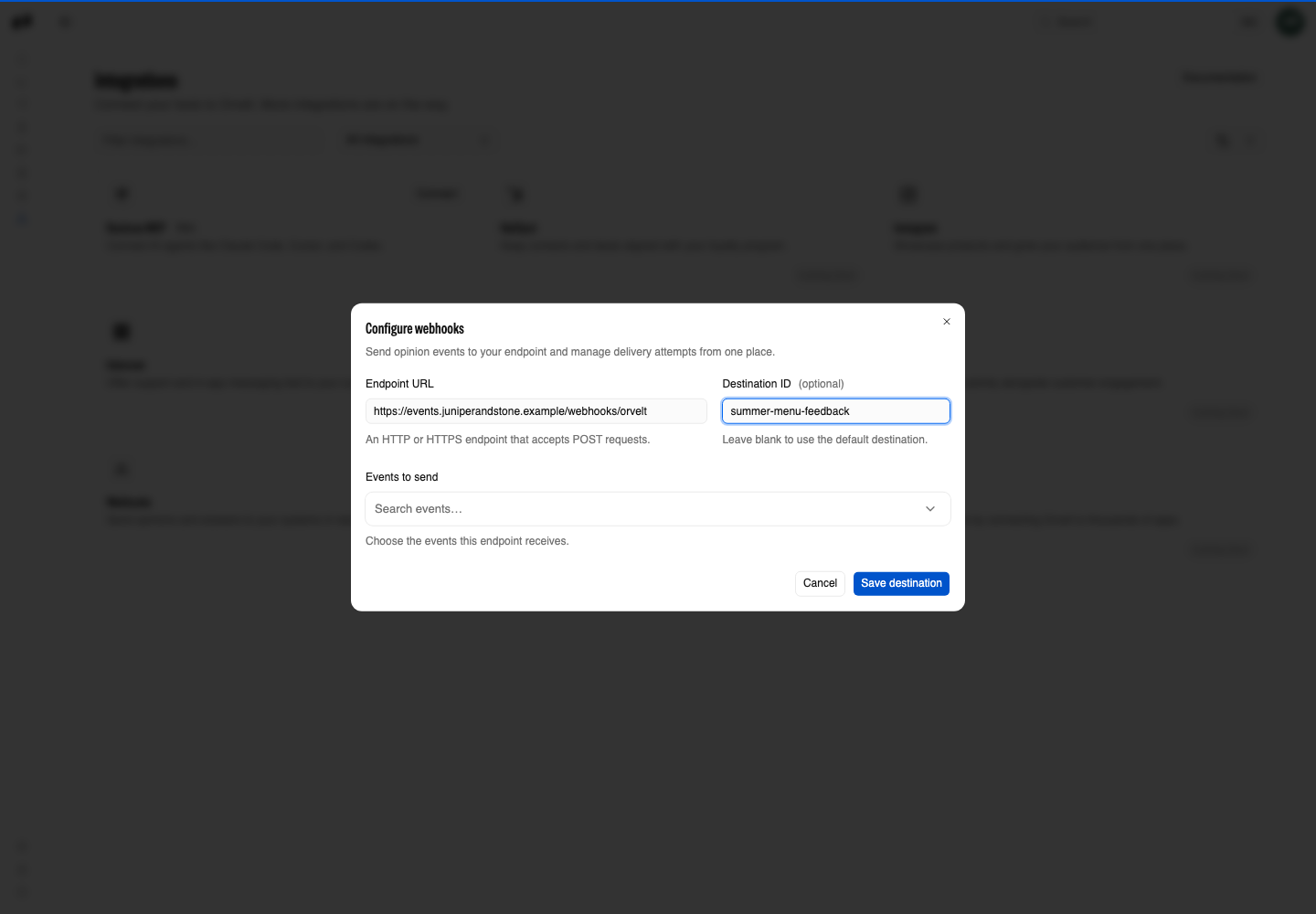
Open Integrations → Webhooks → Configure, enter the endpoint URL, and select the events to send (step by step).
Through the API
Webhook configuration is REST-only and requires a Business session with Webhooks update access; API keys and SDK methods cannot configure destinations.
- Call
webhooks.upsertwith the receiver's URL and thetopicsit handles. Leavetopicsout to receive every topic. Save the returneddestination.id. - To update, call it again with
destinationId, the requiredurl(send the current one even when changing only topics), and the topics. WithoutdestinationId, the call creates a second destination. - Call
webhooks.portaland open the returnedredirectUrlto see each destination's deliveries, find its signing secret, and retry failed ones. Passtheme: 'light'ortheme: 'dark'to match your tools.
Events
Topics are named <resource>.<past_tense_verb>, such as opinion.created or verification.verified: one for each meaningful change to a resource you can read through the API. Every topic and its payload schema is listed under API reference → Webhooks, starting with opinion.created.
The delivery body
Every delivery is a JSON POST in the Standard Webhooks shape:
{
  "id": "01926f3a-8a1e-7c52-9d0b-3c1f6e2a4b10",
  "type": "opinion.created",
  "timestamp": "2026-09-26T14:03:11.482Z",
  "data": { "opinionId": "…", "projectId": "…" }
}idis unique per event and stays the same when a delivery is retried.typeis the topic, andtimestampis when the change happened.datais a snapshot of the resource after the change. It always includesprojectIdfor project resources.
Opinions and answers
Opinions and answers are separate resources. A submitted response sends response.submitted, then one answer.created for each question the customer answered. A public opinion, when the customer writes one, sends opinion.created.
Versions
Each topic's reference page shows its payload version. A payload never changes in place: a breaking change increases the version. New optional fields can appear in any version, so read data without assuming the field list is closed.
Build the receiver
Return any 2xx status to acknowledge an event. Orvelt retries other statuses and timeouts with the same id.
Receiver checklist
- Verify the request signature with the destination's signing secret before trusting the body.
- Route on
type, and return2xxfor topics you ignore so they are not retried. - Store or queue the event, then return
2xx. Do slow work after you respond. - Deduplicate on
id. - Log
id,type, and your response status. Never log API keys or delivery links.
If events stop arriving
- Open the portal and confirm the destination URL and topics.
- Make sure the receiver is reachable over HTTPS from the public internet.
- Make sure it returns
2xxas soon as it has stored the event. Any other response counts as a failed delivery.