Developer quickstart
Create an API key, choose the TypeScript or Python SDK, and read your first opinions from your server.
The Orvelt Business API lets your server read opinions and answers, manage questions, send verified opinion invitations, and count or invite subscribers. Use the @orvelt/business TypeScript SDK, the orvelt-business Python SDK, or HTTP requests directly. Both SDKs are generated from the same contract as the HTTP API and ship together under the SDK release notes.
This section is for developers. Everything here can also be done without code in Orvelt Business: if you're not writing code, start with the Quick start guide. To connect an AI assistant instead, use Business MCP, which needs no API key.
To put an opinion form on your website, you need no key or backend: see Website embed.
Create an API key
You need an Orvelt Business organization with at least one project.
Copy the key once
- In Orvelt Business, open Manage Settings → API Keys and select Create key.
- Name the key after the service that uses it and choose when it expires.
- Copy the key into your server's secret manager as
ORVELT_BUSINESS_API_KEY. Orvelt shows it only once. - Copy a project ID into
ORVELT_PROJECT_ID.
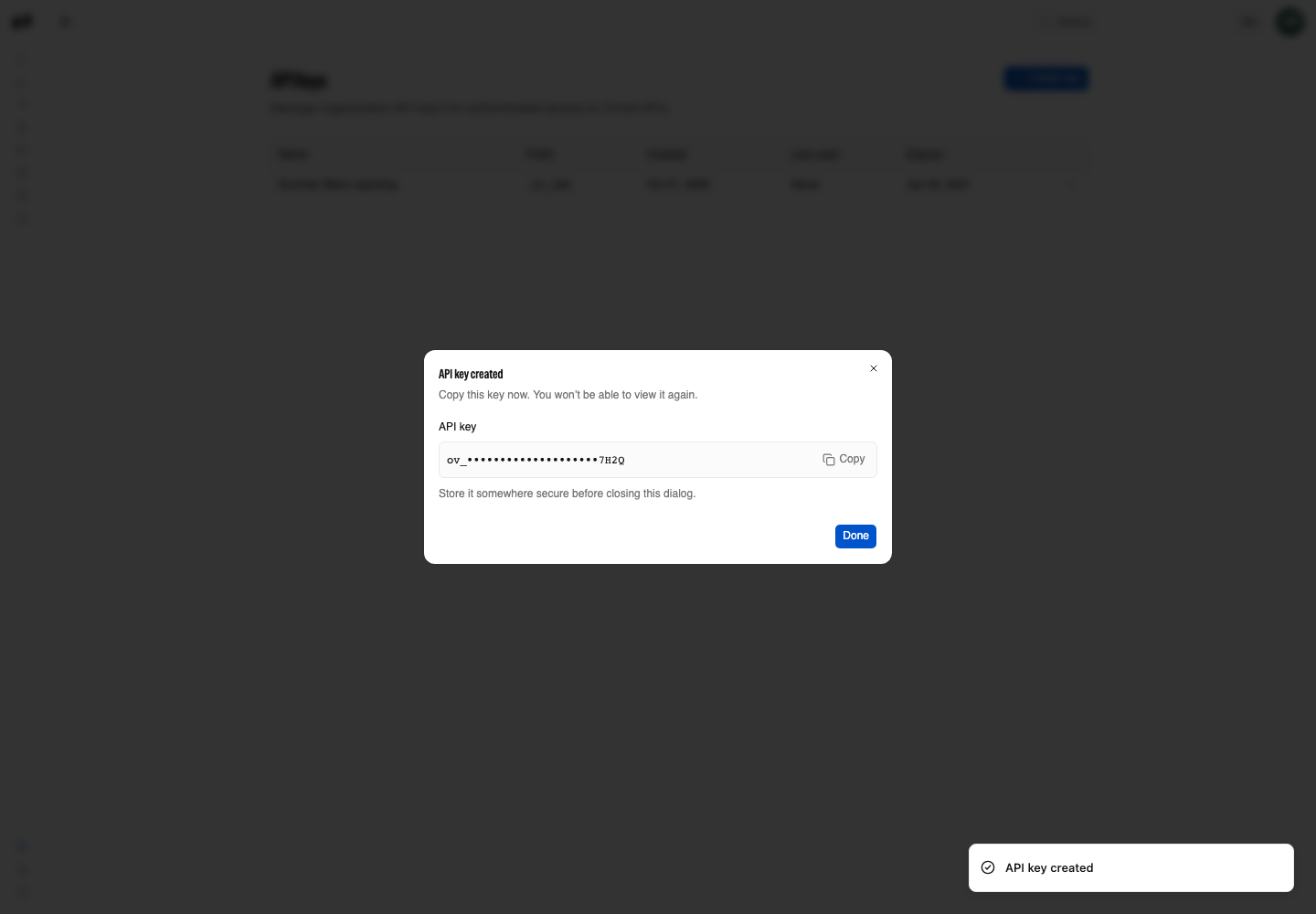
A key works for every project in its organization. Keep it on your server: see API keys and Authentication.
Install the SDK
Choose the client for your server. TypeScript runs on Bun, Node.js 18 or later, and any runtime with Fetch. Python requires Python 3.10 or later.
Choose your package manager
bun add @orvelt/businessConfigure the client on the server
For TypeScript, call orvelt once, from a module that only runs on your server:
import { orvelt } from '@orvelt/business';

orvelt({
  apiKey: process.env.ORVELT_BUSINESS_API_KEY!,
});
If your framework bundles modules for the browser, put this file behind its server-only boundary.
To change the base URL or use several TypeScript clients, see the TypeScript SDK. For async requests and Python-specific options, see the Python SDK.
Send your first request
List the newest opinions for your project. Choose TypeScript, Python, or the equivalent cURL request; replace placeholders such as PROJECT_ID with your own values.
List opinions
import { opinions } from '@orvelt/business';

const result = await opinions.list({
  projectId: process.env.ORVELT_PROJECT_ID!,
  page: 1,
  limit: 20,
});

if (result.error) {
  throw new Error(result.error.message);
}

console.log({ count: result.data.opinions.length, page: result.data.pagination.page });
Check the result
A 200 returns { opinions, pagination }; a new project returns an empty opinions array. Any other status means the key, permission, or project ID needs fixing: Errors explains each one.
What to build next
Pick a goal
- Questions: create questions, then read their results.
- Collection: website embed, delivery links, or QR codes.
- Feedback: sync opinions and answers, replies, or webhooks.
New to Orvelt? Read How questions are picked first: it explains why each customer sees different questions.