Create questions
Add the questions you want customers to answer, choose how they answer, and check that they are being asked.
You do not build a survey in Orvelt. You add questions to the project's library, and Orvelt asks each customer the few that matter most right now (how that works). In Orvelt Business, setting a goal adds related questions for you. Create questions through the API when they come from your own system, such as a new product line, or when you keep many projects in sync.
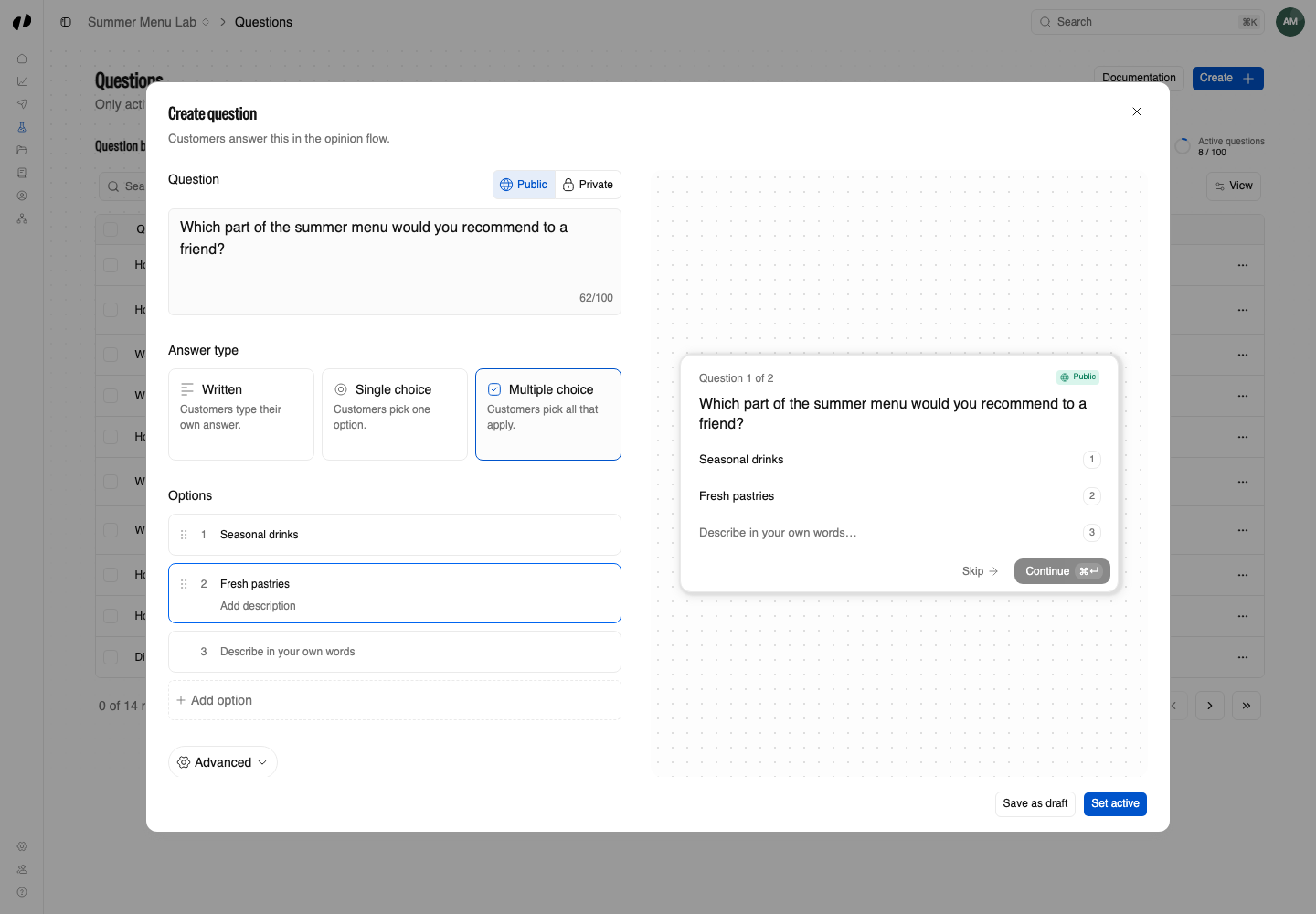
Write a question worth asking
What works
- Ask about one thing. "How was the wait?" gets clearer answers than "How was the wait and the food?"
- Ask what the customer experienced, not what they predict or would rate in general.
- Offer choices when you want to count answers, and free text when you want to hear why.
- Tag it honestly. Tags tell Orvelt what an answer reveals, such as
TrustorExperience. They drive Auto priority, so a wrong tag makes Orvelt ask the question at the wrong times.
Add the question
Questions need the questions create permission, which new API keys include.
Example
import { questions } from '@orvelt/business';

const result = await questions.create({
  projectId: 'PROJECT_ID',
  question: 'What would make your next visit better?',
  tags: ['Experience'],
  priority: 50,
  isAutoPriority: true,
  answerMode: 'single_select',
  answers: {
    options: [
      { id: crypto.randomUUID(), option: 'Speed' },
      { id: crypto.randomUUID(), option: 'Price' },
      { id: crypto.randomUUID(), option: 'Service', description: 'Staff and support' },
    ],
  },
  status: 'active',
  responseVisibility: 'default',
});

if (result.error) throw new Error(result.error.message);
const questionId = result.data.question.id;
Field names below use the HTTP API's camelCase. Python uses snake_case, such as is_auto_priority, answer_mode, and response_visibility.
Save question.id: you need it to read the answers and to change the question later. Creating an active question beyond the plan's limit returns 403 PLAN_LIMIT_REACHED.
Choose how customers answer
text_only: customers answer in their own words. Do not sendanswers.options.single_select: customers choose one option.multi_select: customers choose any number of options.
Select questions need 2 to 6 options in answers.options. Each has a unique id of up to 64 characters, unique option text, and an optional description. Answers report the chosen option's text, not its id.
Keep sensitive answers private
Set responseVisibility: 'private' when answers should stay with your team, such as questions about staff or safety. Private answers are never available through public storefront reads. default answers follow the opinion they come with: public when the customer's opinion is public, and never shown publicly when the customer answers without writing an opinion. Both visibilities consume the same monthly answer allowance; no fresh questions are offered once it runs out.
Check it is being asked
Confirm the setup
- Call
questions.listand confirm the question isactiveandactiveCountis withinactiveLimit. - Open your project as a customer who has not answered it yet. Expect up to three questions, not necessarily this one: Orvelt picks a fresh set for each customer.
- If it never appears, check its status, your plan's active-question limit, the shared answer allowance, and whether that customer already answered it.
All fields
questions.create
| Field | Required | Values |
|---|---|---|
question | Yes | 1 through 500 characters. |
tags | No | At least 1 of Trust, Reliability, Experience, Safety, Personalization, Fairness, Identity, or Outcome. Omit it to let Orvelt choose. |
isAutoTags | No | true lets Orvelt choose tags from the question and its options, and choose again when they change. Defaults to true when tags is omitted; it can't be true alongside tags. |
priority | No | 1 through 100: where Auto starts, or the fixed value in manual mode. Defaults to 50. |
isAutoPriority | No | Defaults to true, letting Orvelt manage priority; false keeps it fixed. |
answerMode | Yes | text_only, single_select, or multi_select. |
status | Yes | active or archived. |
responseVisibility | Yes | default or private. Set once: questions.update cannot change it. |
answers | No | Defaults to {}. Select questions need answers.options. |
Omit tags, isAutoTags, priority, and isAutoPriority to let Orvelt choose tags and manage priority automatically, starting at 50. On questions.update, omitted fields preserve the existing settings; sending tags switches the question to manual tags.