Goals
Write down what your team needs to learn from customers, so Orvelt can fill your question library with questions that serve it.
A goal is one thing your team needs to learn from customers, written as a sentence. Goals tell Orvelt what matters to you: when you add one, related questions are added to the project's question library.
Write a goal that works
The best goals name a decision you need to make or a specific open question. Vague goals produce vague questions.
| Too broad | Specific and useful |
|---|---|
| Better service. | Learn why first-time lunch customers don't return within 30 days. |
| Improve the menu. | Decide which two summer dishes to keep on the autumn menu. |
| Know our customers. | Find out whether weekday visitors would pre-order for pickup. |
| Get more reviews. | Understand what stops happy customers from writing a public opinion. |
A good test: if you can't imagine what you'd do differently after learning the answer, make the goal more specific.
Add a goal
Open the project, then choose Research → Goals.
In the editor, answer What are your project goals? with one goal.
Select Add goal. The goal appears in the Goals list.
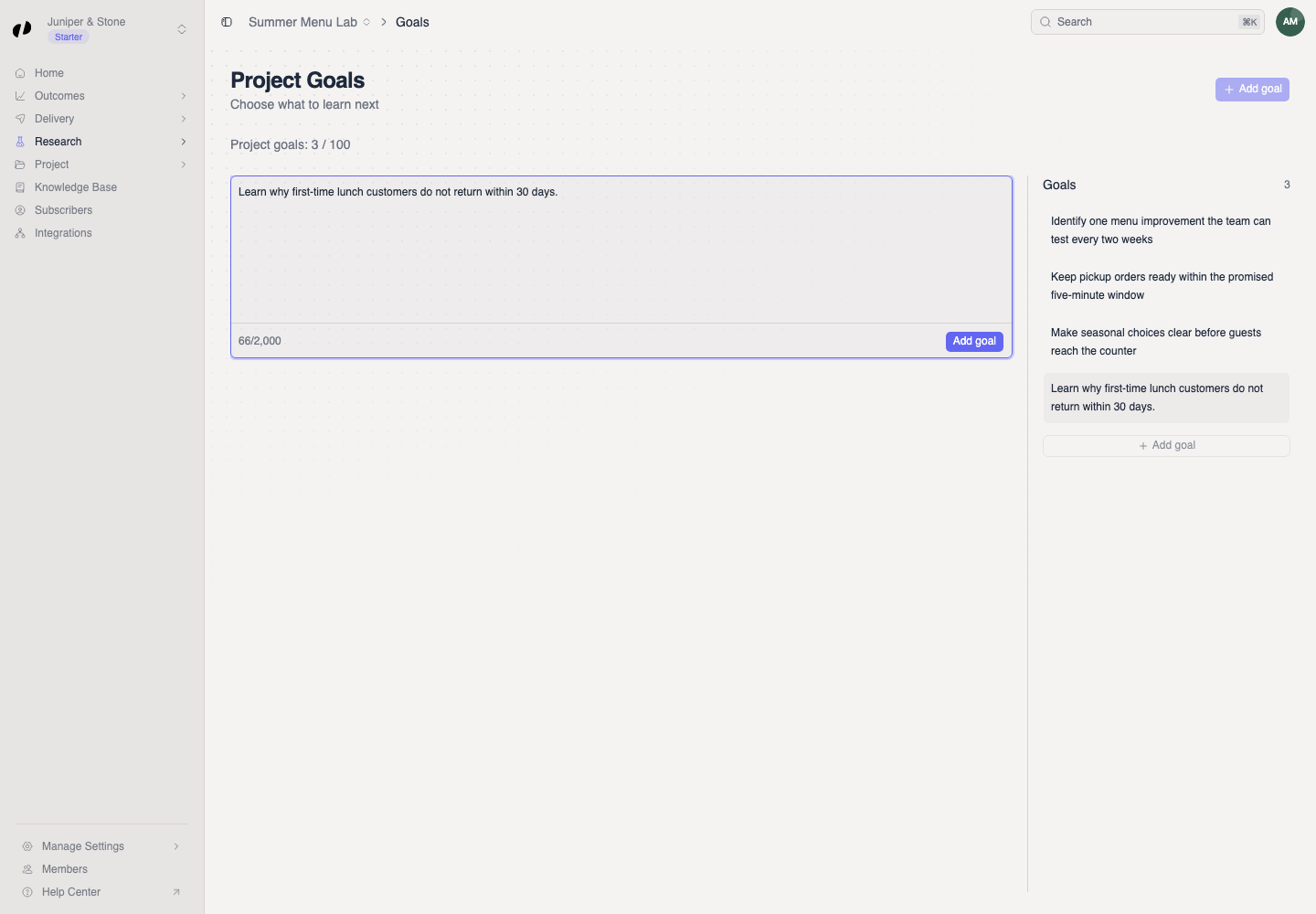
After you add a goal, open Research → Questions to see what was added to the library, and review it like any other question.
Edit or remove a goal
- Reword: select the goal in the list, edit the text, and choose Save.
- Remove: delete a goal only when your team no longer needs it. Questions already in the library stay there; archive them separately if they no longer fit.
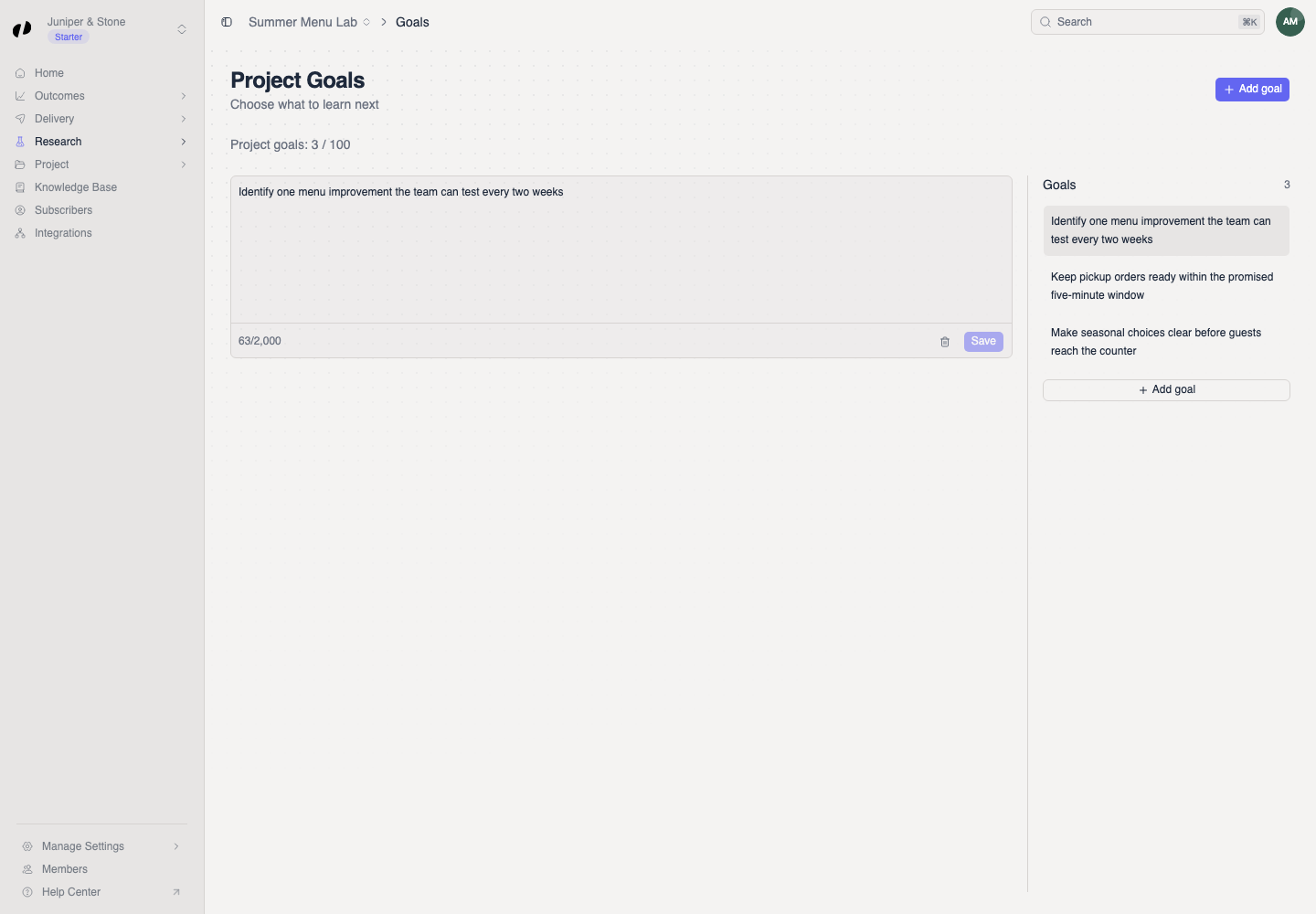
Every project keeps at least one goal.
Limits
- A goal can be up to 2,000 characters, but one or two sentences is best.
- Your plan sets how many goals each project can have. See the goal allowance under Manage Settings → Billing. Billing
Common questions
Start with one or two. Each goal adds questions to the library, and Orvelt only asks each customer up to three. Fewer, sharper goals mean the questions customers see are more focused.
Check that it's under 2,000 characters and that you're in the right project. If the project has reached its goal limit, delete a goal you no longer need, or ask an owner to review Billing.
No. Goals are internal. Customers only see the questions.