Archive, activate, and delete
Keep your question library tidy over time, one question at a time or many at once, and stay within your plan's active-question limit.
Your question library will change as you learn. Some questions get answered so consistently that you no longer need them; new goals bring new questions. This page covers managing them.
Archive vs. delete
| Archive | Delete | |
|---|---|---|
| Stops asking the question | Yes | Yes |
| Keeps the answers you already have | Yes | No |
| Can be undone | Yes, select Activate | No |
| Frees room under your active-question limit | Yes | Yes |
Archive by default. Delete only questions created by mistake.
Manage one question
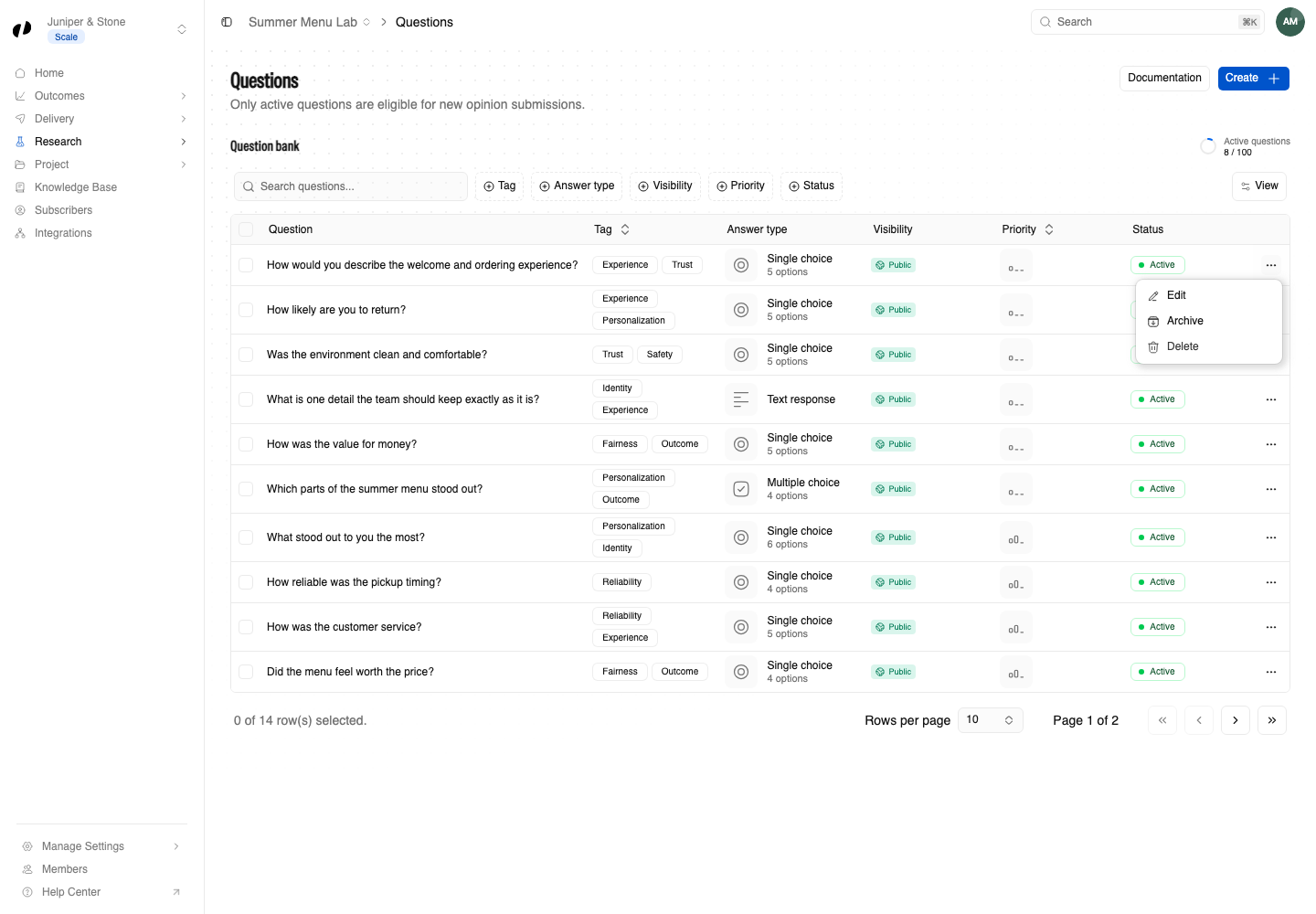
Open the ... menu at the end of the question's row:
- Edit reopens the editor.
- Archive stops asking the question and keeps its answers.
- Activate, on an archived question, starts asking it again.
- Delete removes the question. Orvelt asks Delete this question? before it does.
Manage many questions at once
Select the checkbox at the start of each row, or Select all.
Choose an action from the bar that appears:
- Archive selected questions (active questions only)
- Activate selected questions (archived questions only)
- Delete selected questions
To delete several questions, type the confirmation word Orvelt shows, DELETE, then confirm.
Plan limits
Your plan sets how many questions can be active at once in each project. Archived questions don't count.
- If Activate says you've reached the limit, archive another question first.
- Only the highest-priority active questions within your limit are eligible to be picked for customers.
- See each project's active-question allowance under Manage Settings → Billing → Projects. Billing
Keep your library healthy
A short monthly check is enough:
- Sort by priority. With Auto priority, questions near Low have usually been answered consistently. Read their answers, then archive the ones you've learned enough from.
- Check new goals. Make sure questions added by recent goals fit your voice.
- Look for overlap. Two questions asking almost the same thing split your answers. Archive one.