Read answers
Search and filter every answer to your questions, see all of one customer's answers together, and download everything as CSV.
Answers lists every answer customers gave to your questions in one table. Open it from Outcomes → Answers.
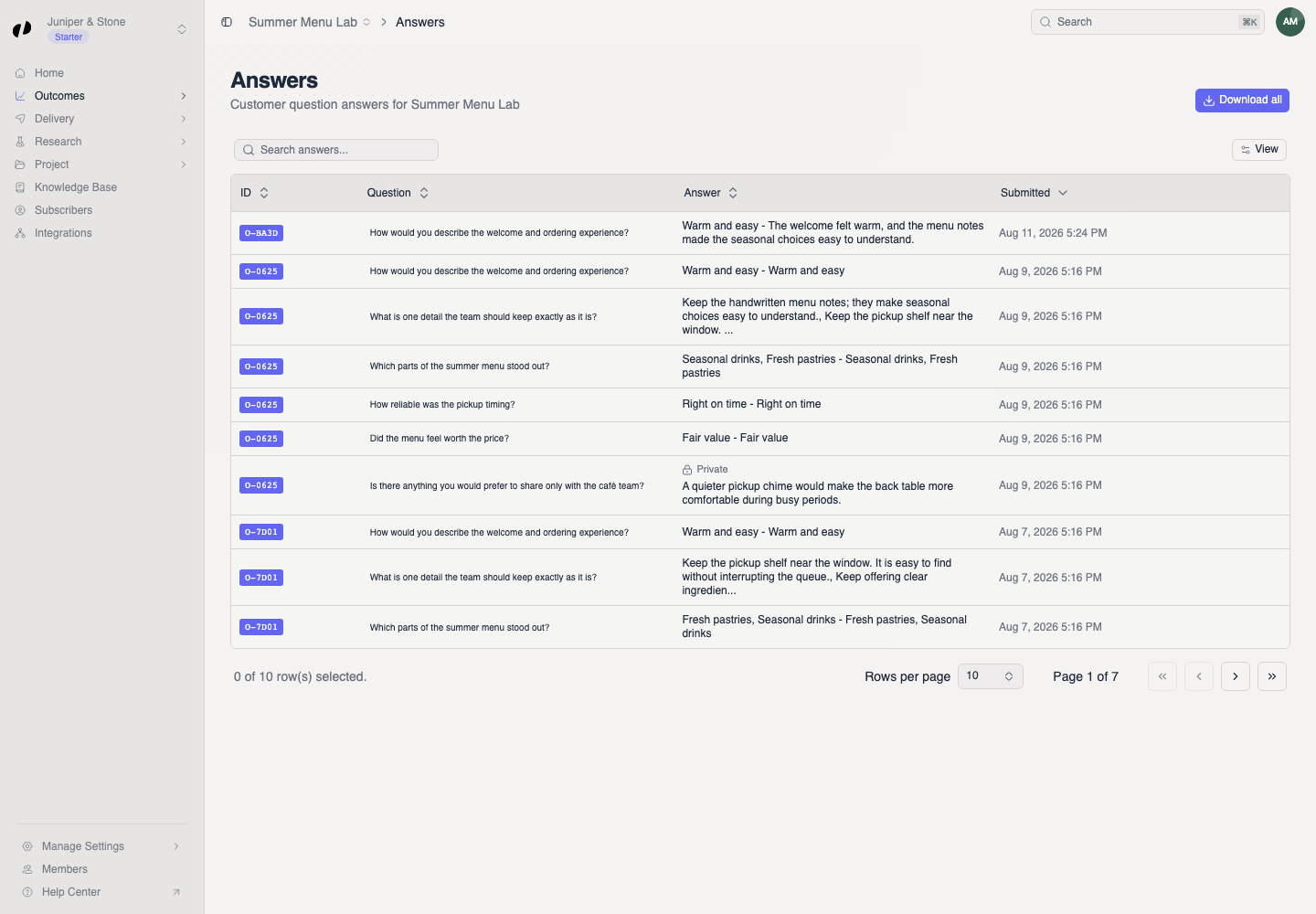
Reading the table
| Column | What it shows |
|---|---|
| Submission | The submission the answer came from, shown as an ID like O-4F2A. One customer's submission can have up to three answers. |
| Question | Which question was answered. |
| Tags | The question's tags. |
| Answer | What the customer wrote or chose. |
| Visibility | Public, or Private for answers only your business can see. |
| Submitted | When the customer submitted. |
Search
Type in Search answers... to find words in questions or answers. For example, search "parking" to find every mention of parking across all questions.
Filter
You can filter by one thing at a time. Choosing one filter clears the other.
Every answer to one question
Select a question in the table. The filter appears above the table, and you see every answer to that question. This is the best way to read results for a question you care about.
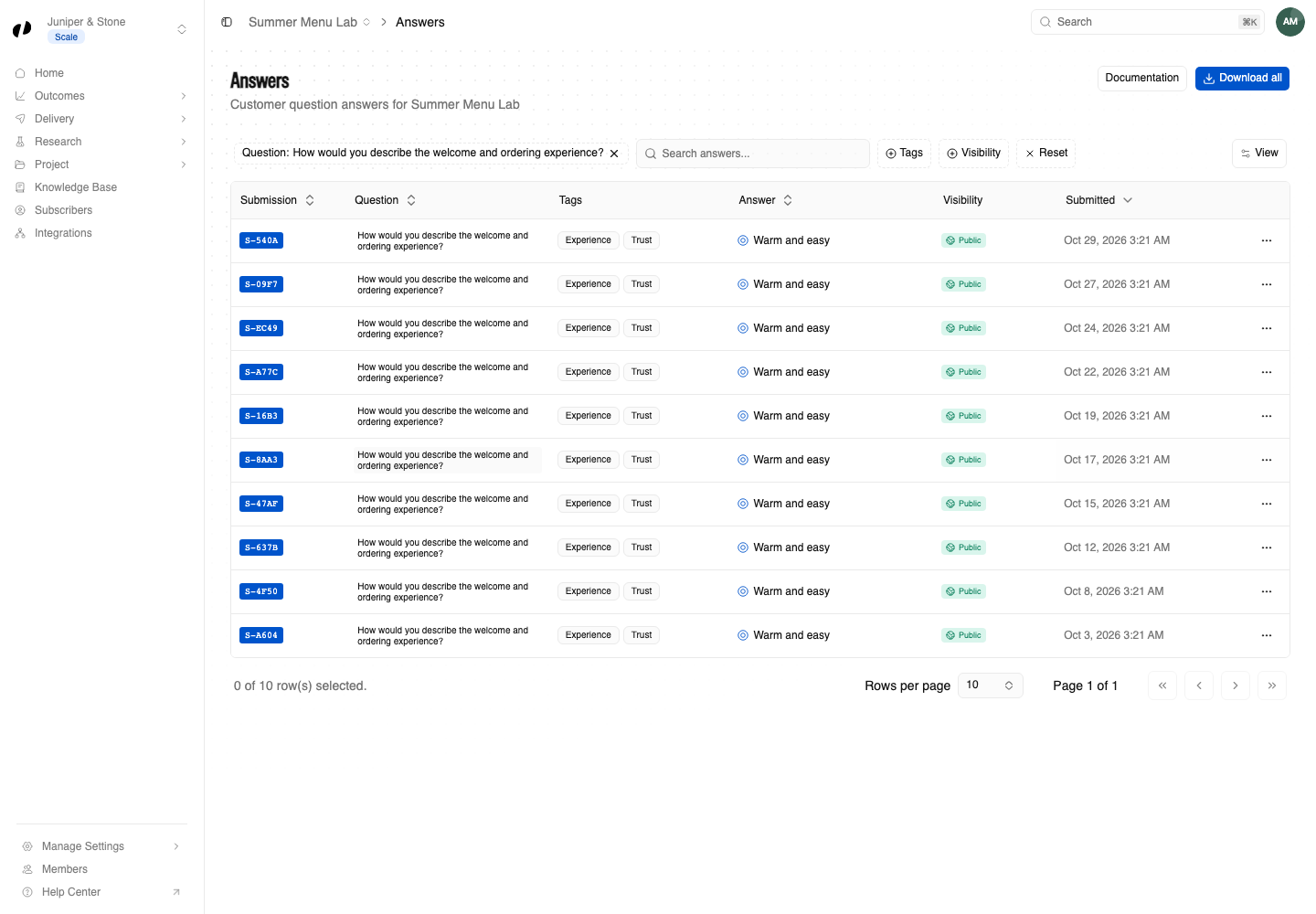
Every answer from one customer
Select a submission ID, such as O-4F2A, to see all the answers from that submission together. Useful for understanding one customer's full experience.
To see all answers again, select the X on the filter.
Download everything
Select Download all to download every answer in the project as a CSV file. Open it in Excel, Google Sheets, or Numbers to sort, chart, or share.
Making sense of answers
- Select questions: count how often each option was chosen. A shift from one month to the next is often more telling than the totals.
- Text questions: read 20 or 30 answers and note words that repeat. Or ask an AI agent to group them into themes. Example prompts
- Compare with tags: if a tag on the Research Radar is leaning negative, filter by the questions with that tag to find out why.
If no rows appear
Clear the ID, question, and search filters. Check you're in the right project, and that customers have submitted since you added your questions.
The question may have been deleted. Clear the filter to see the full table.