Read opinions
Find, filter, and sort the opinions customers submitted, and open each one's thread.
Opinions shows every opinion customers submitted for the selected project, newest first. Open it from Outcomes → Opinions.
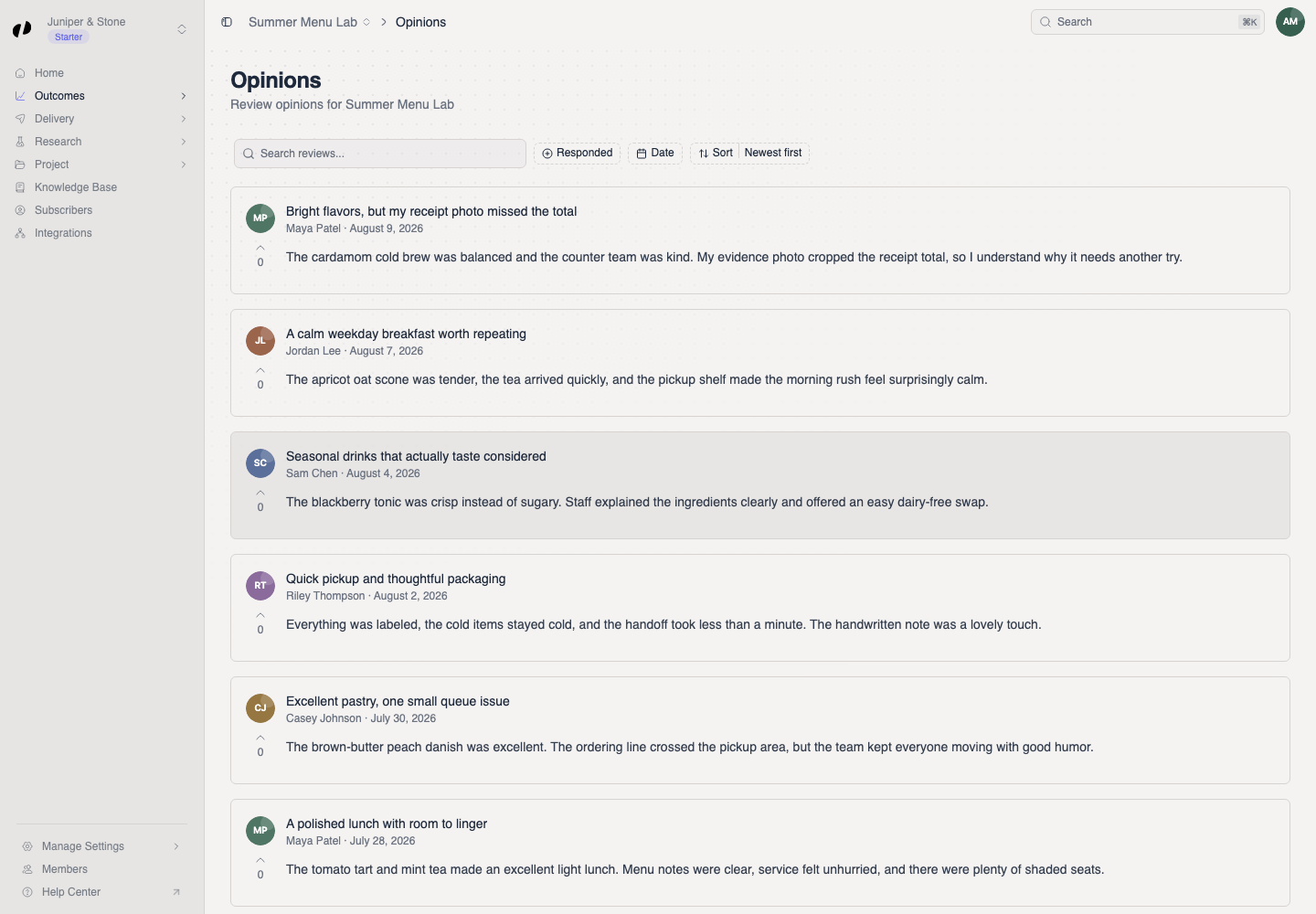
Each card shows what the customer wrote, who wrote it, when, any photos, and how other customers voted on it. Opinions that haven't been submitted yet (drafts) never appear here.
Find what you're looking for
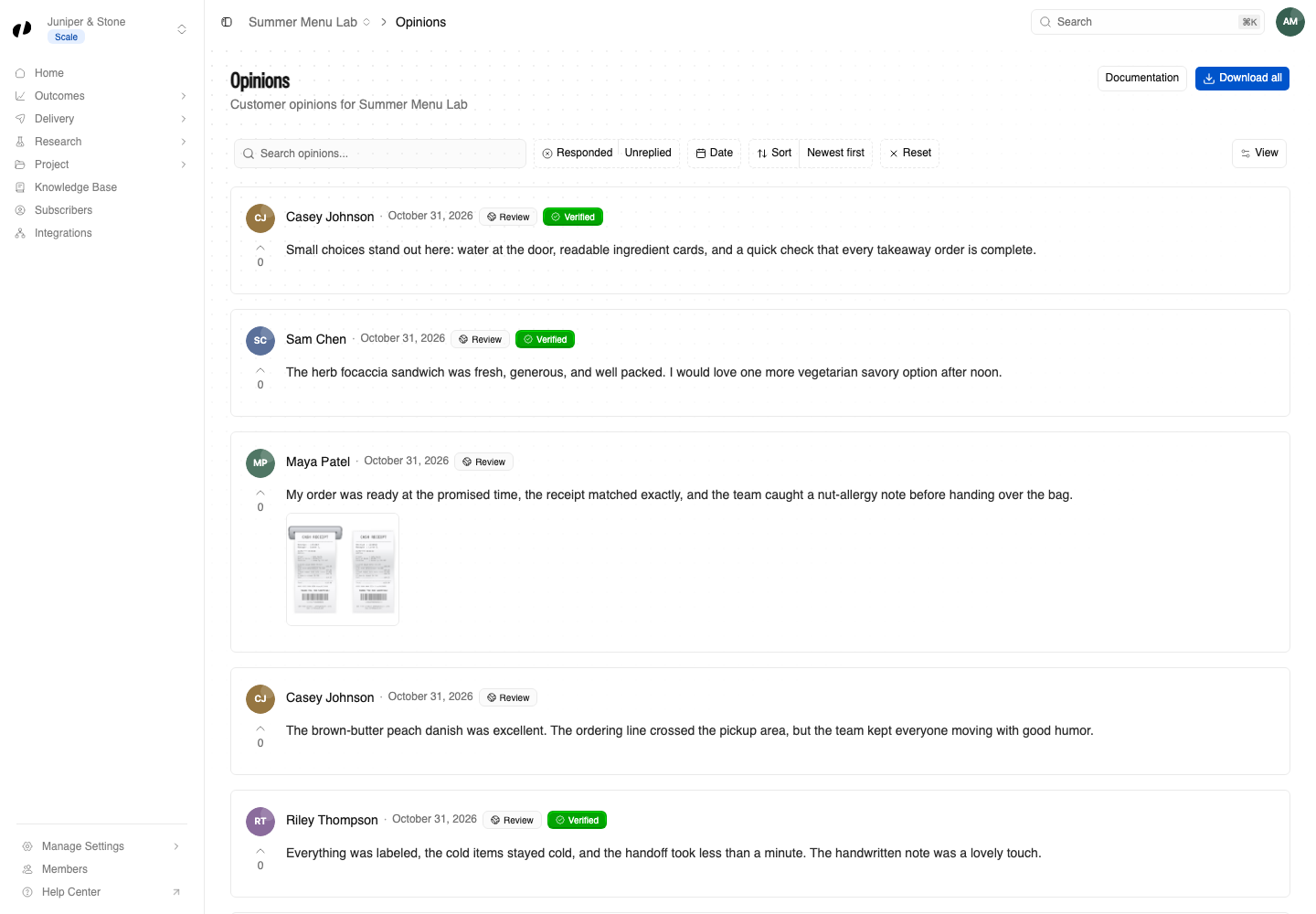
All the controls are above the list:
| Control | What it does |
|---|---|
| Search opinions... | Finds words in the opinion text, like a dish name or "wait". |
| Responded | All, Replied (you've replied), or Unreplied (you haven't). |
| Date filter | Shows only opinions submitted in a date range. |
| Sort | Newest first, oldest first, Most upvoted, or Least upvoted. |
| Reset | Clears every filter. |
Find opinions you haven't replied to
Set Responded to Unreplied. This is the most useful view for a daily or weekly check.
See what other customers find most helpful
Sort by Most upvoted. Customers can upvote opinions they agree with, so the top of this list is what resonates most.
Open an opinion's thread
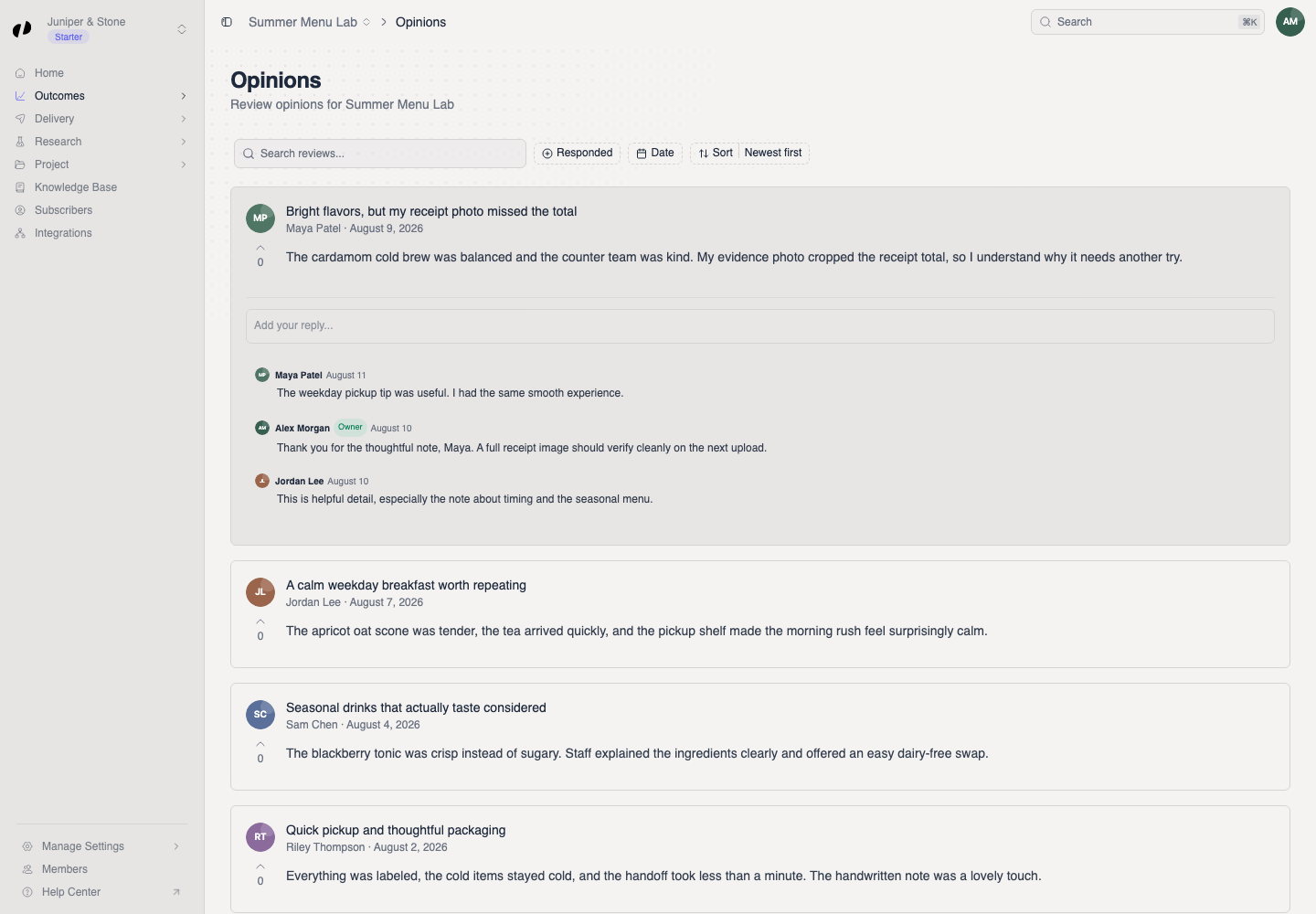
Select an opinion card. It expands in place to show its comment thread and an Add your reply... box. Select the card again to collapse it.
Understand what you're seeing
- Verified badge: the opinion was verified through your QR code, a personal link, a receipt, or an Orvelt reviewer. Verification
- Photos: customers can add photos to their opinion.
- Comments: other customers and your team can comment in the thread. Your replies carry an Owner badge.
Where are the answers to my questions?
On a separate page: Outcomes → Answers. Read answers
If an opinion is missing
Select Reset to clear all filters. Check you're in the project the customer wrote about: the project switcher is in the page header. A draft doesn't appear until the customer submits it.
Customers can submit answers without writing an opinion. Look on Outcomes → Answers.
You need Outcomes product access on this project. Ask an owner or admin. Team and roles