Allowed origins
Choose which websites are allowed to show your opinion form, so it can't be copied onto sites you don't control.
Allowed origins is the list of website addresses allowed to show your project's form. An origin is the start of a web address: the https://, the domain, and a port if there is one. No page path.
| Full web address | Its origin |
|---|---|
https://www.example.com/order/thank-you | https://www.example.com |
https://shop.example.com/ | https://shop.example.com |
http://localhost:3000/test | http://localhost:3000 |
Do I need to set this?
- Leave it empty and any website can show your form. That's the default and it's fine for most businesses: opinions still go only to your project.
- Add origins if you want to make sure only your own websites can show it.
Add your websites
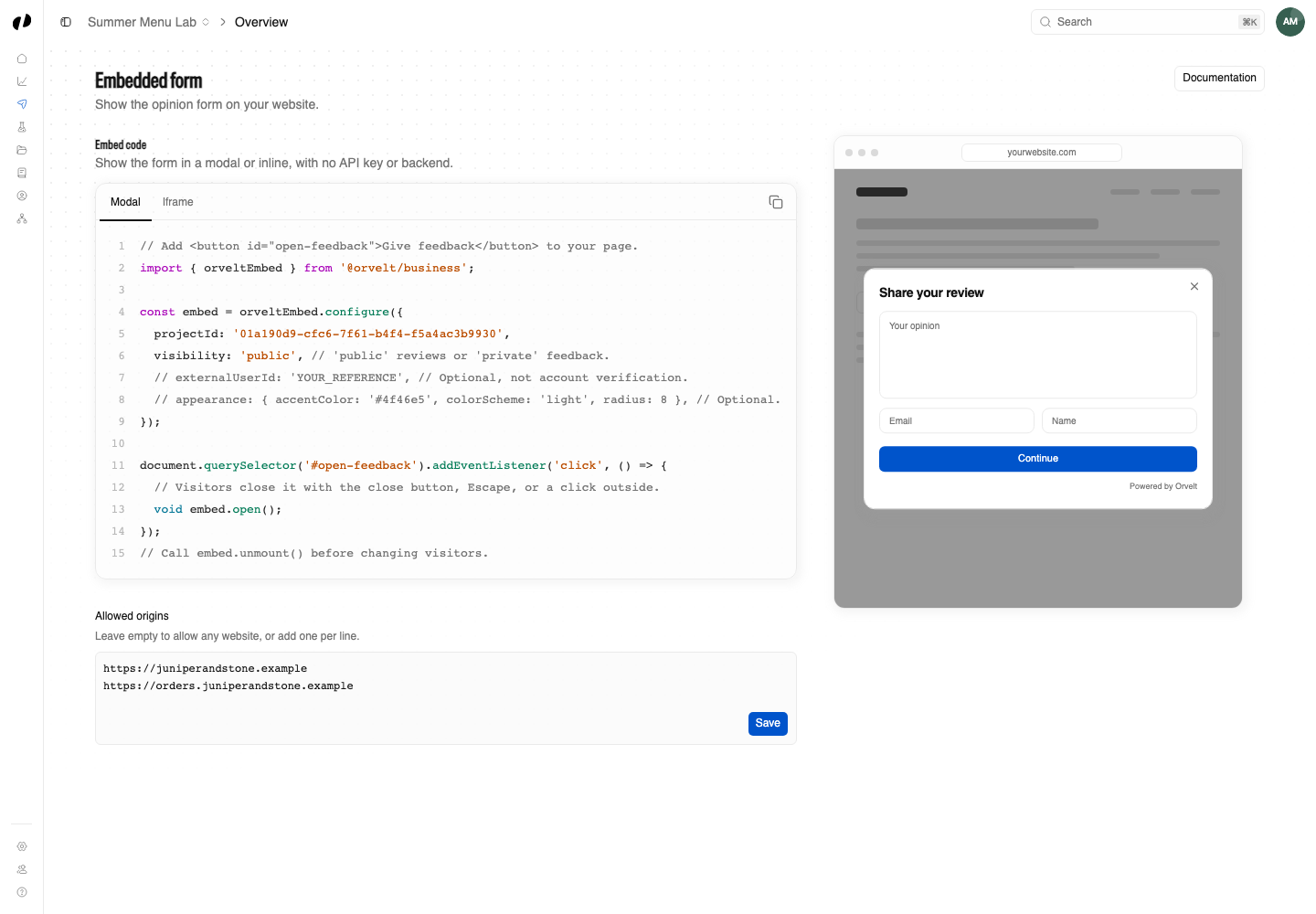
Open the project, then choose Delivery → Embedded form.
Under Allowed origins, enter each website origin on its own line, for example https://www.example.com.
Select Save. An Allowed origins saved message confirms it.
Get it exactly right
The address must match exactly, or the form won't load on that site.
- Include
https://. wwwmatters.https://example.comandhttps://www.example.comare different origins. If your site works with and withoutwww, add both.- No paths or slashes at the end.
https://www.example.com, nothttps://www.example.com/contact/. - No wildcards.
https://*.example.comdoesn't work. Add each subdomain. - Test and staging sites are separate. Add them on their own lines, including the port, like
http://localhost:3000.
Using Wix?
Wix runs embedded code from a Wix-owned web address, not your own domain, so a list containing only your domain will block the form. Leave Allowed origins empty for Wix sites. Wix guide
Allow every website again
Clear the list completely and select Save.