Create a project
Add a new project with its own page, questions, and team, in under a minute, and choose whether it collects public reviews or private feedback.
Your Storefront project covers your business as a whole, and many businesses never need another. Create one only when a topic needs its own page, questions, results, or team, such as a six-week menu test or a second location.
You need: Team product access, or the Owner or Admin role. Your plan must have room for another project team.
Create the project
Open any project in Orvelt Business.
Select the project name in the page header to open the project menu, then choose Create project.
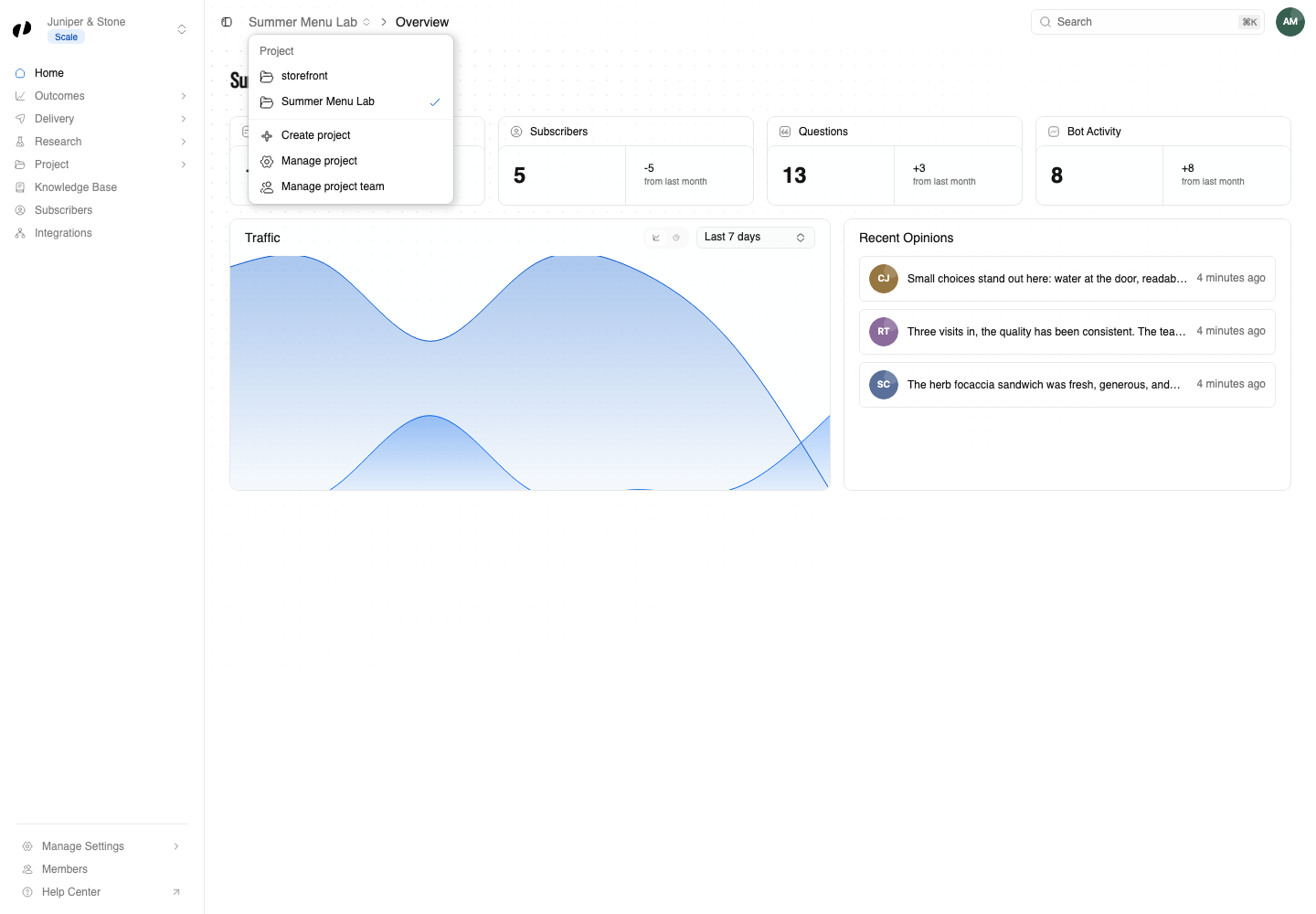
Fill in the dialog:
- Name: what you and customers will call it, like Autumn Brunch Pilot.
- Slug: Orvelt fills this in from the name. It's the last part of the project's public address,
orvelt.com/stores/your-business/autumn-brunch-pilot. Edit it if you want something shorter. Use only lowercase letters, numbers, and hyphens. - Visibility: Public collects reviews that can appear on the project's page. Private collects feedback only your team can see, and the project has no public page. Choose Private for things like a pre-launch test or internal feedback. Make a project private
- Description (optional): one or two sentences telling customers what this project is about and what you'd like to hear.
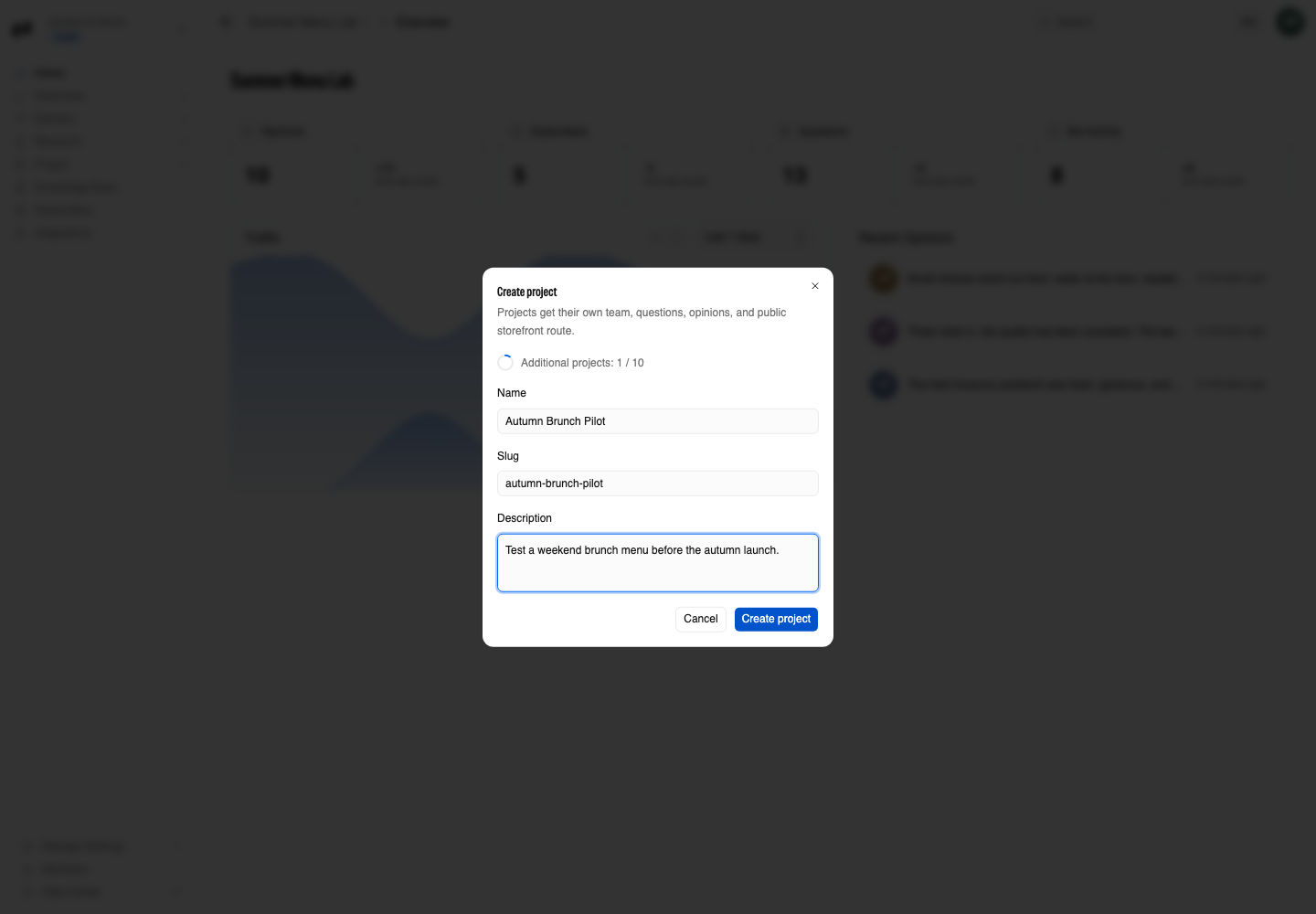
Select Create project.
Orvelt publishes the project, creates its project team with you on it, opens the project's Overview, and shows Project created.
Set it up
A new project is like a new notebook. Do these in order:
- Add a goal so Orvelt knows what you want to learn.
- Review the questions, archive what doesn't fit, and add your own.
- Add the form to your website, or use a QR code or a personal link.
- Add teammates who should work on it.
If you can't create it
Slugs must be unique within your business. Choose a different one, for example by adding a year or season: brunch-pilot-2026.
Each project has its own team, and your plan allows a set number of additional project teams. Archive a project you no longer need, or have an owner review Manage Settings → Billing. Billing
You can switch a private project to Public at any time in its settings. A public project can become private only until its first public review is posted.
You need Team product access. Ask an owner or admin to add it under Members → Access. Team and roles